




From Document Processing to Workflow Automation: Where AI Starts Paying Off


AI becomes useful in business when it moves beyond extracting information and starts supporting or executing real business processes.
An illustrative scenario: a finance team uses document AI to read supplier invoices. It captures the vendor’s name, amounts, and due date correctly in a few seconds. Then an accountant types the same figures into the accounting system. Next comes the purchase order, opened in another window to check the amounts to match. Finally, an email goes to the manager asking for approval.
The reading got faster. Everything after it works the way it did before.
That gap is what this article is about. We follow one supplier invoice through four steps, from document processing to workflow automation, and show how to tell which step your own process stops at.
Extraction Is Not the Finish Line
Intelligent document processing (IDP) is software that reads documents such as invoices, contracts and forms, sorts them by type and pulls out the fields a business needs.
It does that job well. On a supplier invoice, it can:
- Read the document, even when layouts differ between suppliers
- Recognize it as an invoice, a contract or a form
- Pull out the vendor, invoice number, line items and total
The catch is what happens next. The output usually sits on a review screen or in a spreadsheet export, and a person still has to:
- Enter the data into the accounting system
- Check it against the purchase order
- Send it to the right approver
A project can score high on accuracy, and the team’s day still looks much the same.
If a person still re-types what the AI extracted, you automated the reading, not the work. The real value of AI is not how much information it can extract, but how much manual coordination it can remove from business operations.
Four Steps from Reading to Doing
Document processing captures data. Workflow automation moves it through the steps that follow, so nobody has to carry it from one screen to the next. The shift happens in four steps, and each one removes a different kind of manual work. To keep it concrete, we follow one supplier invoice from the day it arrives to the day it is paid.
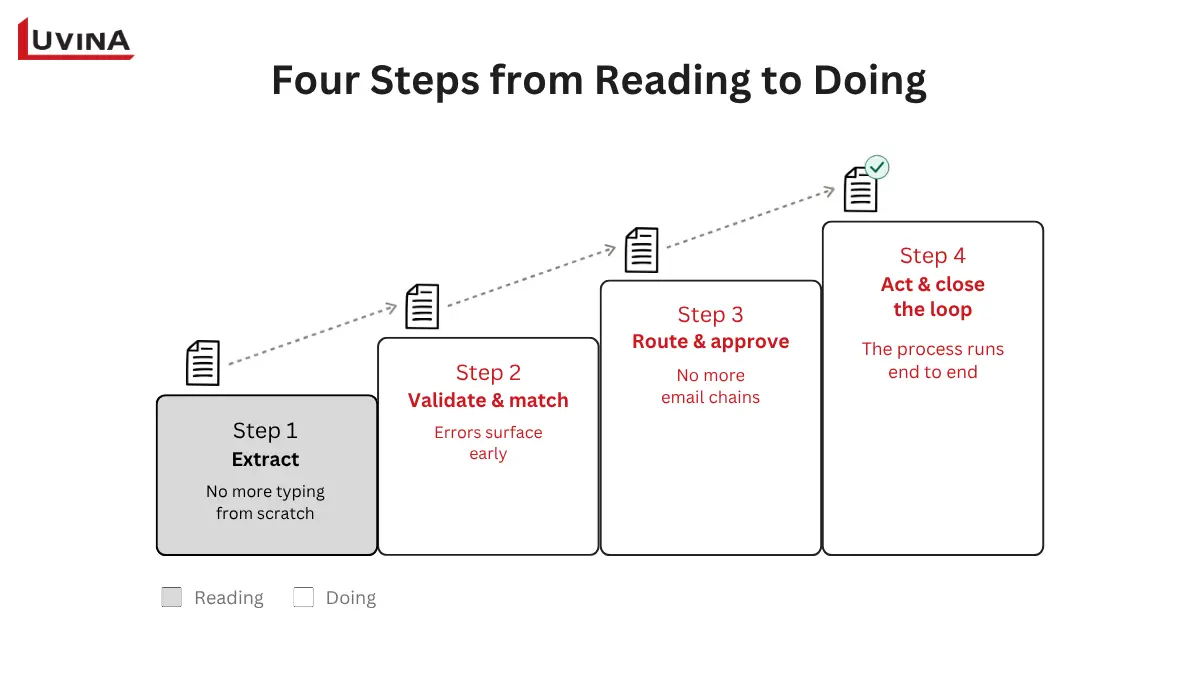
| Step | What the AI does | What the business gets | Sign you are at this step |
| 1. Extract | Reads the invoice and pulls out the data fields | No more typing from scratch | The result sits in a file, and a person re-enters it into the system |
| 2. Validate & match | Compares the invoice with the purchase order and goods receipt, then flags differences | Errors surface early | A person still opens three documents side by side to compare |
| 3. Route & approve | Sends the invoice to the right approver by rule (value threshold, department) | No more email chains | Invoices wait in someone’s inbox |
| 4. Act & close the loop | Posts to the accounting system, updates status, sends notifications and handles exceptions | The process runs end to end | People only handle exceptions and large payments |
Invoice automation in four steps
Step 1: Extract
The AI reads the invoice and fills in the fields: supplier, invoice number, line items, amounts, due date. Nobody types them from scratch anymore. That saves time, but the data still has nowhere to go.
Your sign: the output lands in a file or on a screen, and a person re-enters it into the accounting system.
Step 2: Validate and match
Now the AI checks the invoice against the purchase order and the goods receipt. Say the supplier billed for 500 cartons and the warehouse logged 480. The gap shows up right away, before anyone approves payment. Matching this depends on consistent supplier names, item codes and units across systems, and that groundwork is what data engineering services cover.
Your sign: someone still opens three documents side by side and compares them by eye.
Step 3: Route and approve
Rules decide who sees the invoice, based on value, department or cost center. The right approver gets it with the match result attached, instead of a forwarded email and a “can you check this?” note.
Your sign: invoices wait in somebody’s inbox, and finance has to ask around to find out whose.
Step 4: Act and close the loop
After approval, the workflow posts the invoice to the accounting system, updates its status, and notifies the people involved. Exceptions go to a named owner with the reason attached. This step depends on a system that can take the data in, which is where ERP solutions come in.
Your sign: staff only touch an invoice when something looks unusual or the amount is large.
You do not have to climb all four steps. A company that receives standard invoices from a handful of suppliers may find step 2 or 3 is enough. Start where the manual work costs the most and stop where the return levels off.
Where Document AI Stalls
Document AI projects rarely slow down at the reading. They slow down at the edges, where the output has to meet other systems, written rules and real people. Five stall points are common in document-heavy processes.
| Stall point | What it looks like | What to do |
| Results cannot be written into the real system | Extracted data sits in a spreadsheet because the AI tool and the accounting system do not connect | Name the target system and how data gets in before choosing a tool |
| Matching rules and approval limits are unwritten | The approval limit lives in one senior accountant’s head | Write the rules down and have finance confirm them |
| Exceptions have no path | An invoice with a missing purchase order number sits in a queue nobody owns | List the common exceptions and name who receives each one |
| Nobody owns the process after launch | When a rule breaks, finance and IT each assume the other will fix it | Assign one person to be accountable for the process |
| No before-and-after measures | No one can say whether invoices move faster than last year | Record processing time and re-entry counts before go-live |
Five stall points in document AI projects
In practice, stalls usually show up at the handoff between systems.
Permissions and day-to-day operation of AI in production are a separate topic. We cover them in our AI agent readiness checklist.
A Real Project: When Finance Ran on Spreadsheets
Luvina’s Dynamics 365 Business Central project for a Singapore recycling enterprise shows what sits underneath process automation. The client is an industrial scrap collection, recycling and trading business operating in five countries: Singapore, Malaysia, Indonesia, Thailand and China.
Its finance function ran on Excel files and manual bank transactions. Numbers differed from one region to the next.
Luvina provided solution consulting, business analysis and custom development on Microsoft Dynamics 365 Business Central, a cloud ERP:
- Cash flow, debt management and multinational invoicing moved into one system
- A real-time database replaced the scattered spreadsheets
- Customization stayed under 25% to keep costs down
The reported results:
- 70% reduction in payment and administrative processing time
- About 17 business processes automated end to end
- Up to 90% reduction in bank reconciliation discrepancies
This was an ERP project with no AI component. It still shows what automation needs first: one shared place for data, and processes that are standardized.
The Singapore Angle: The Invoice Is Becoming Data
On 26 February 2026, at the Committee of Supply Debate, the government announced that every business registered for Goods and Services Tax (GST) in Singapore will have to join InvoiceNow and send invoice data directly to the Inland Revenue Authority of Singapore (IRAS). The rollout runs in phases from April 2028 to April 2031, following each business’s total annual supplies. The details are in the IRAS announcement at Committee of Supply 2026.
InvoiceNow is Singapore’s national e-invoicing network. The Infocomm Media Development Authority (IMDA) introduced it in 2019, and it runs on the international Peppol standard, so invoices move between businesses as structured digital data.
The schedule:
- 1 April 2028: new compulsory GST registrants, and existing businesses with total annual supplies of S$200,000 or below
- 1 April 2029: existing businesses with total annual supplies of S$1 million or below
- 1 April 2030: existing businesses with total annual supplies of S$4 million or below
- 1 April 2031: existing businesses with total annual supplies above S$4 million
As more businesses join, more of the invoices you receive will arrive as structured data, and reading them matters less. The value moves to matching, approval, exceptions and posting to the books. Many purchase orders, contracts and supplier emails will still arrive in mixed formats, so document AI keeps a role.
For what applies to your business, check the IRAS GST InvoiceNow FAQ. This article gives general information and does not constitute tax advice.
When Automation Should Stop and Ask a Person
Not every step should run on its own. A simple test is how much damage a wrong decision can do and how easily it can be undone. Three short rules help you decide:
- Routine and reversible: let the AI handle it. Matching a standard invoice to its purchase order and filing it is a good example. If something goes wrong, the fix is quick.
- High-value or hard to undo: send it to a person for approval. A large payment to a new supplier or a change to bank details belongs here, because a transfer that has gone out is difficult to pull back.
- Unusual or ambiguous: pass it to a person with the AI’s reasoning attached. An invoice in an unfamiliar format, or one that partly matches two purchase orders, should arrive with a note on what looked off.
Some processes do not need AI at all. When documents follow a fixed format and the rules rarely change, rule-based automation is enough. It costs less and is easier to audit, because every outcome traces back to a written rule.
The ERP project above sits in this category: standardized processes on one shared data foundation.
How to Start: Pick One Document-Heavy Process
You do not need a company-wide program to begin. One process is enough, and these five steps take it from a rough idea to a working pilot.
- Pick one document-heavy process. Look for high volume and moderate risk. Supplier invoices are a common choice, since they arrive daily and a single error is rarely catastrophic.
- Redraw the current steps, including the usual exceptions. Write down what really happens, such as the missing purchase order number or the invoice that needs a second approver.
- Decide where a person approves. Apply the three rules from the previous section to each step.
- Run a pilot with a person supervising, and measure before and after. Record processing time and how often data is re-entered. A proof of concept is a low-cost way to test this, and Luvina offers business consulting and proof-of-concept development for this stage.
- Expand one step at a time. Move from extraction to matching, then to routing, once each step holds up.
Five yes-or-no questions can also show where your process stands today:
- Does someone re-enter data the AI has already extracted?
- Do people compare two or more documents by hand?
- Do documents wait in someone’s inbox for approval?
- Are your matching rules and approval limits written down?
- Does every common exception have a named owner?
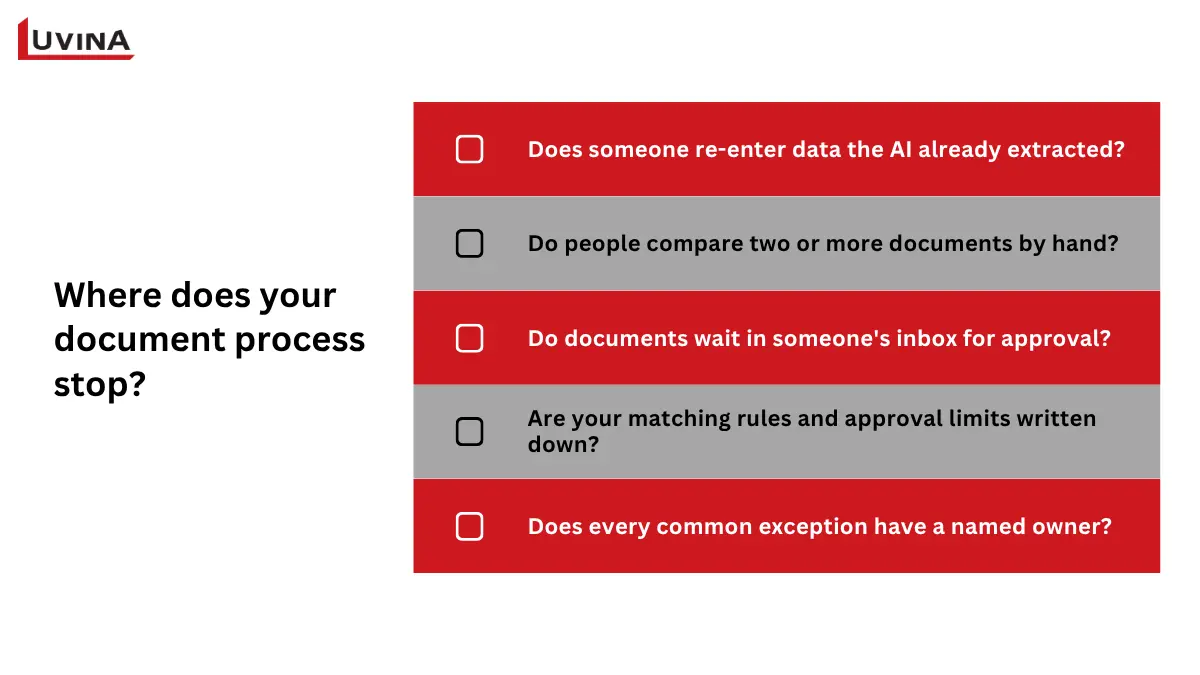
These questions give a qualitative read with no scoring. Yes to the first three points to room for automation. A no on the last two is worth fixing before you automate anything.
FAQs
What is the difference between document processing and workflow automation?
Document processing reads documents and captures the data in them. Workflow automation takes that data through the steps that follow, such as matching, routing, approval and posting to the accounting system. The first reads the invoice. The second moves it to payment.
Is intelligent document processing enough for my business?
It depends on what happens after the data is captured. If the output goes straight into a system or a simple handoff, it may be enough. If people still re-enter data, compare documents by hand or chase approvals, extraction covers only the first step of the process.
Which process should I automate first?
Choose one with high volume, moderate risk and rules you can write down. Supplier invoices are a common starting point, because they arrive every day and follow a predictable path from receipt to payment.
When should a person stay in the loop?
Keep a person involved when a decision is high-value or hard to undo, or when a case is unusual or ambiguous. Routine, reversible steps can run on their own.
Conclusion
Document AI gets the data off the page. Workflow automation takes it through matching, approval and posting without someone carrying it between screens. Depending on your process, two or three of the four steps may be all you need.
Where does your document process stop today?
If you want to map one document-heavy process with Luvina, send us the process you have in mind. We will trace where it stops and what it would take to go one step further.
READY TO START A PROJECT?
Our experts are eager to explore your needs.

Read More From Us?
Sign up for our newsletter
Read More From Us?
Sign up for our newsletter