




Step-by-Step Pharmacy Management Software Development


Pharmacy management software development has been and will continue to transform the pharmaceutical industry. According to a 2023 statistic, the global pharmaceutical sector generated over $1.4 trillion in economic output, and this figure is expected to grow even larger with the help of modern technology. The market size for pharmaceutical software is projected to reach $179.67 billion by 2029, with a compound annual growth rate of 15.47% from 2024 to 2029.
To help you stay ahead of this market trend, we will explore the complexities of pharmacy management software development in the following article. We’ll make a presentation of the key features, show you the benefits of developing pharmaceutical software, and provide you with detailed step-by-step instructions on how to make your project successful. Let’s delve into the details right now!
What is pharmacy management software?
Pharmacy management software is, in simple words, the modern technology applied in the pharmaceutical field to create a specialized system that helps professionals manage all medication-related tasks entirely online. In the context of pharmacy management software development, these systems can range from basic online programs for managing medication supplies to comprehensive platforms that streamline every operation of a pharmacy network.
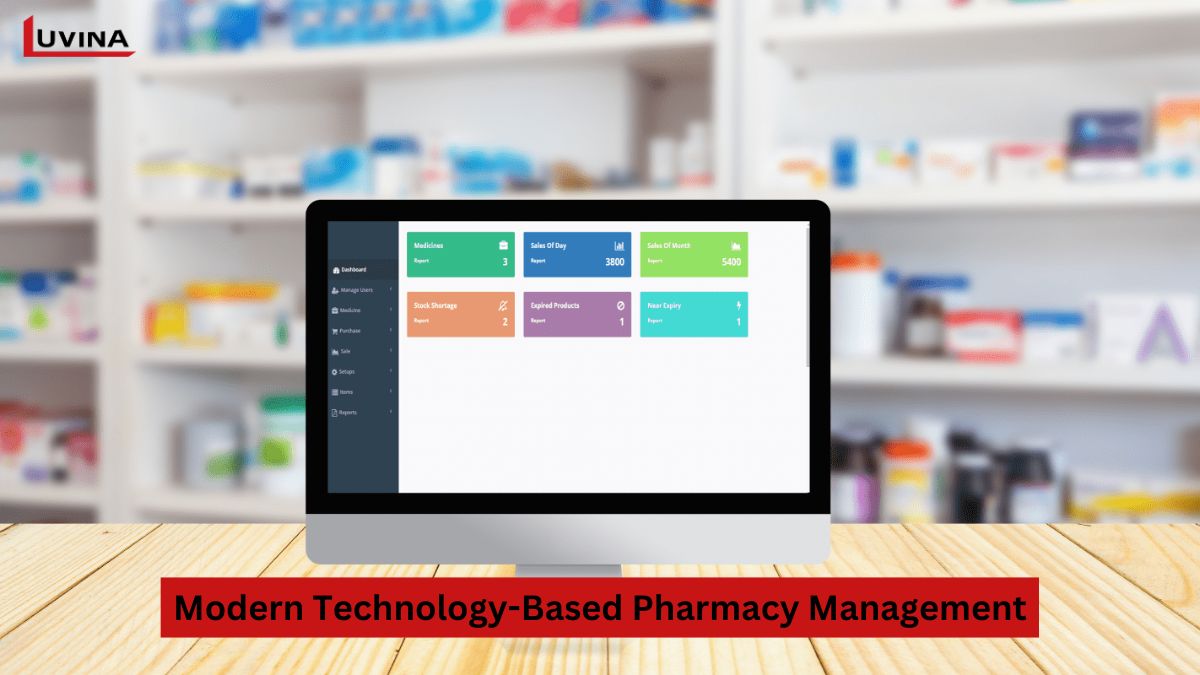
This would help improve pharmacy operations, health outcomes for the patients, and increase revenue. It is through such a digital shift that both patients and pharmacies benefit. However, to note such goals being met, there has to be wide adoption of the pharmacy management software in many tasks and functions. The following are some of the key modules that can be performed by pharmacy inventory management software in a pharmaceutical business:
- Inventory: It keeps tracking the stock quantity for each drug so that the pharmacy will neither overstock nor understock. It is a scenario where the system alerts it when the threshold for its stock goes below, so that essential items will always be ready in the pharmacy.
- Records: It stores all types of transactions, customer information, and sales history while also helping businesses analyze customer behavior.
- Stock: It comprehensively tracks drug stock, expiry dates, and batch numbers so that expired items are removed from the inventory of pharmacies, and healthy stock is maintained. Also, it shows the list of fast-moving and slow-moving products, which will give guidance to pharmacy managers about how the purchasing strategy should be altered.
- Store: Pharmacy management software can automate managing staff, assigning work, and monitoring schedules; hence, the more efficient and time-saving management of the store.
- Sales: The software handles transactions, applies discounts, and generates invoices effortlessly. Furthermore, the sales analytics provided by the software can assist businesses in making informed decisions.
In summary, with its ability to oversee all these aspects of management, pharmacy management software development is an essential step for successfully running a pharmaceutical business.
Key features of a pharmacy management system
Before diving into pharmacy management software development, you need to know what main features your system should provide. Understanding will help you to get cognized about how the software operates and build an appropriate development strategy. Most features of pharmacy inventory management software are designed to assist pharmacists in managing and tracking inventory. However, if you’re planning to develop a system that benefits both patients and pharmacies, here are some essential features you should consider including:
1. Pharmaceutical inventory management
For pharmacists, managing inventory is one of the most tedious and labor-intensive tasks, leaving no room for errors or negligence. Most pharmaceutical companies have not yet abandoned their hybrid models of inventory management, where considerable portions are still made on paper and in electronic systems. Here, a pharmacist usually spends up to 20% of his work time managing inventory. However, automated pharmacy management software has been proven to be much more efficient when it comes to saving time and precision.
Including inventory management features in pharmacy management software development will enable pharmacists to maintain optimal levels of inventory with ease. This feature allows a pharmacist to view all the current inventory in the pharmacy, quickly contact suppliers, place orders, track order status and history, and analyze sales for efficiency.
Moreover, the dashboard and underlying functionalities of the pharmaceutical inventory management system are fully customizable to your needs. If you have several locations for your pharmacy, the features under inventory management allow for central management through one interface; therefore, transferring stocks between different locations is much easier. This not only facilitates operations but also ensures smoother and more effective management.
2. Prescription Management
If you’re planning for pharmacy management software development, this is a standout feature you should not overlook. Prescription management functionality can significantly speed up and automate every stage of processing prescriptions, from input to completion.
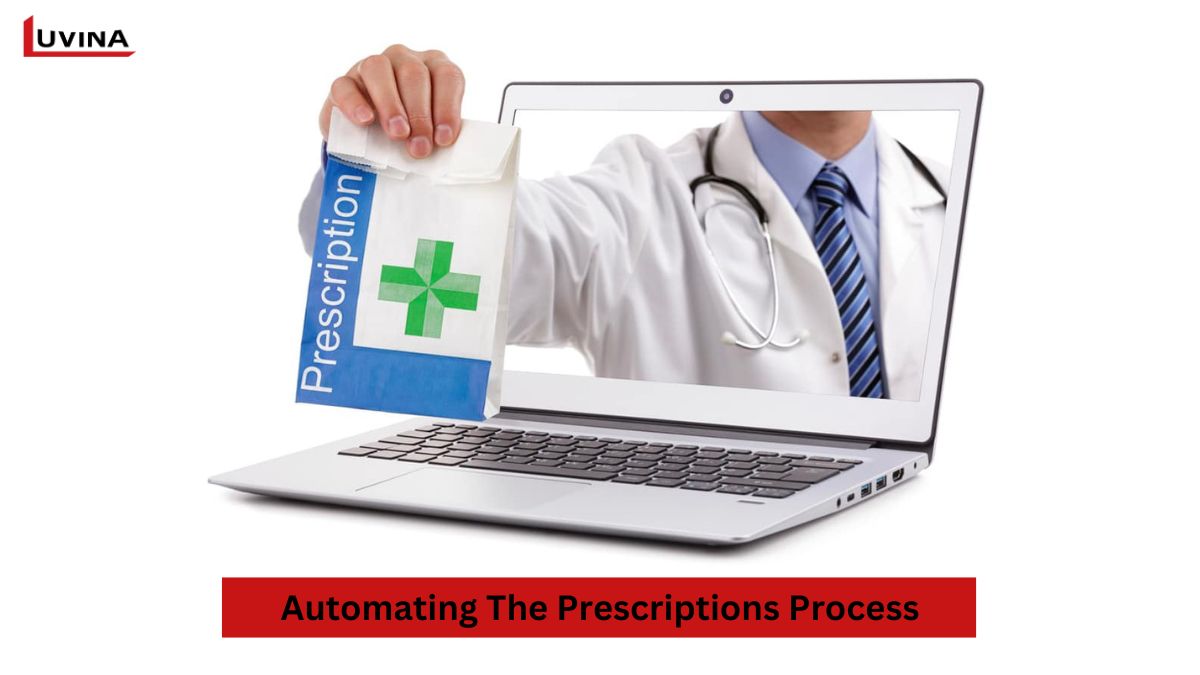
Pharmacists or doctors can input prescriptions directly into the system, including patient information, prescribed drugs, dosages, and treatment instructions. The system automatically checks for drug interactions, allergies, and contraindications, ensuring patient safety.
Advanced enhancement:
– E-Prescription Integration with national pharmaceutical or healthcare data portals.
– Many off-the-shelf (SaaS) pharmacy systems are difficult to customize, especially when integrating with national drug databases or e-prescription gateways, which differ by country.
– Custom-built solutions by Luvina Software allow seamless integration with each country’s National Pharmaceutical Data Portal, ensuring regulatory compliance and smooth prescription validation across borders.
Patients can also request prescription refills remotely, reducing unnecessary in-person visits and improving accessibility to healthcare services.
3. Pharmacy Document/Data Management
Pharmaceutical operations generate vast amounts of data daily. With pharmacy management software development, you can efficiently store, review, and optimize the flow of data within your pharmaceutical organization.
To enhance the management of documents and pharmaceutical data, you can integrate modern digital solutions into the software. These enhancements facilitate workflows involving documentation, such as:
- Scanning, storing, and retrieving pharmaceutical documents.
- Digitally importing medical notes from pharmacists through document scanning or manual entry.
- Systematizing health-related data for better organization and accessibility.
4. Point of Sale (POS)
In offline pharmacies, pharmacy management software plays a vital role in streamlining sales processes. As part of pharmacy management software development, POS management features are tightly integrated into the overall pharmacy management system, enabling pharmacies to efficiently handle transactions, manage cash registers, generate receipts, produce sales reports, and automatically deduct inventory in real time.
By automating these tasks, pharmacists are freed from numerous administrative responsibilities, allowing them to focus more on their core expertise, providing better patient care and support.
5. Customer and patient management
Customer management is a core feature of any healthcare solution, and pharmacy management software development places strong emphasis on this capability. The customer and patient management feature helps pharmacies store and manage customer data, track changes, and ensure that all patients receive their medications on time and in the correct dosage. Some benefits of this feature include:
- Providing detailed patient medical history and prescribed medications.
- Managing loyalty programs and promotions.
- Collecting and analyzing customer feedback.
Beyond storing patient data and prescription history, next-generation systems should support remote patient engagement.
New feature to consider:
– Integrated Video Call & Chat between pharmacists and patients directly within the pharmacy management app.
– This feature enables remote consultations, medication guidance, prescription clarification, and follow-up care; especially valuable for elderly patients or those in remote areas.
By combining patient records with real-time communication, pharmacies can significantly enhance service quality and patient trust.
5. Billing and Financial
Payment processing and invoicing are essential features in any pharmacy inventory management software. Automating payments and invoicing helps reduce errors, speeds up the payment process, and increases customer satisfaction.
This is why integrating reliable and efficient payment and invoicing features is critical in pharmacy management software development to ensure smooth transactions.
These features help manage insurance claims, payments, and invoicing, as well as generate financial reports to analyze and track the pharmacy’s performance.
6. Reporting and analytics
Important features that facilitate decision-making in every business are reporting and analytics. When you incorporate this feature in pharmacy management software development, you will have complete insight into all the key data related to sales, inventory turnover, and customer engagement, among many others. This helps businesses optimize their benefit of implementing ERP system for operations.
Besides analyzing revenue, customer behavior, and prescriptions, you can include patient health analytics, marketing, promotions, or performance metrics if it’s needed for your business.

Benefits of pharmacy management software
The pharmacy management software, developed through a well-planned pharmacy management software development process, with its multifaceted features, benefits both patients and pharmacies. Among the key advantages are:
– Ensures efficient overhead costs: The software reduces operational costs across multiple processes while improving overall business efficiency.
– Ensures on-time re-supply of products: It provides real-time inventory visibility, alerting pharmacies when stock falls below thresholds or runs out, enabling timely replenishment.
– Centralized data control: The system consolidates all critical drug-related information into a single platform, minimizing errors and improving data reliability.
– Customer’s in-depth insight: The software provides valuable insights into customer behavior, helping businesses better understand preferences and enhance service offerings.
– Ordering and filling of prescriptions: The system simplifies ordering and streamlines prescription processing, significantly improving operational efficiency.
– Remote prescription refill automation: Remote prescription processing saves patients’ time and plays a key role in optimizing digital and remote healthcare services.
Challenges of pharmacy management software
Compliance must be carefully observed to avoid complexity in pharmacy management software development. Software associated with healthcare and pharmaceuticals must fit into different industrial and data protection regulations. These vary depending on the targeted market. For example, software developed for the U.S. must maintain compliance with HIPAA and FDA requirements, while targeting the European market requires compliance with GDPR. Key regulations include:
- HIPAA: It guarantees the protection of personal information by setting the standards to securely collect, store, and manage health data. This applies to all healthcare-related applications for processing pharmaceutical and insurance data.
- FDA: Software and applications that are used in online sales of drugs fall under the rules of the FDA, especially on the aspect of their safety and legality. You have to verify whether the software is a Medical Device Data System (MDDS) or Software as a Medical Device (SaMD).
- HITECH Act: Encourages healthcare providers to use IT effectively to improve health data sharing. This is essential for software involving ePHI and electronic health data exchange, including pharmacy management software.
- DEA (Drug Enforcement Administration): Online pharmacies handling controlled substances must register with the DEA and comply with the Controlled Substances Act (CSA).
- GDPR: General Data Protection Regulation applies to software either targeting or storing data of EU citizens, with strict rules on the privacy of data.
- FTC regulations: Much like GDPR, make sure consumers and data privacy are protected for U.S.-based software.

Solution: Build good software that has compliance features in its architecture. Take the help of legal and regulatory experts to meet all requirements.
2. Data security, privacy protection & cybersecurity
Pharmacy management software processes highly sensitive data, including personal information (PII), electronic health records (ePHI), prescriptions, and payment data. During pharmacy management software development, ensuring data security and privacy is critical, as these systems are prime targets for cyberattacks such as data breaches, ransomware, and unauthorized access.
Common security challenges include:
– Ensuring secure data storage and transmission
– Preventing unauthorized access to patient and prescription data
– Managing access control across pharmacists, doctors, and administrators
– Meeting cybersecurity requirements mandated by healthcare regulations
Failure to properly address these risks can result in severe legal penalties, financial losses, and reputational damage.
Solution:
Implement strong security-by-design principles, including:
– Data encryption (at rest and in transit)
– Role-based access control (RBAC)
– Multi-factor authentication (MFA)
– Regular security audits and penetration testing
– Compliance with cybersecurity standards such as ISO 27001 and OWASP guidelines
2. Data migration
During pharmacy management software development, migrating data from old systems to new ones can lead to errors, inconsistencies, and interruptions in business operations.
Solution: Plan for data migration in great detail. Ensure data cleaning, validation, and testing are done. Take professional services help if needed to avoid abrupt transits.
3. Staff training
Adopting new pharmacy management software or pharmacy inventory management software can be challenging for employees, leading to resistance and reduced operational efficiency, especially when transitioning from manual workflows to digital systems during pharmacy management software development.
Solution:
Offer comprehensive training programs and continuous support to help employees adapt quickly to the new pharmacy management system. Involve staff in the software selection and design process to ensure the solution aligns with real operational needs and encourages user adoption.
5. Limitations of SaaS pharmacy management software & the advantage of custom solutions
Most off-the-shelf pharmacy management software (SaaS) is designed as a standardized product, which makes deep customization difficult—especially when integrating with National Pharmaceutical Data Portals or government e-prescription systems.
Each country has its own regulations, data formats, APIs, and compliance requirements for E-Prescription integration. As a result, SaaS-based pharmacy management systems often lack the flexibility needed to adapt to local standards during large-scale pharmacy management software development projects.
In contrast, custom pharmacy management software developed by Luvina Software is built to address this exact challenge.
By developing the system from the ground up, Luvina enables:
- Seamless E-Prescription Integration with national drug databases and healthcare data portals across different countries
- Compliance with local pharmaceutical regulations and reporting standards
- Flexible APIs to connect with hospitals, insurers, ERP/CRM systems, and government platforms
- Scalable architecture to support future regulatory, business, or workflow changes
Thanks to this custom development approach, pharmacies and healthcare organizations can avoid vendor lock-in, maintain full control over their data, ensure long-term regulatory compliance, and build a future-proof digital pharmacy ecosystem.
How to develop pharmacy management software?
To get a seamless process, your plan for pharmacy management software development should comprise the following 6 steps:
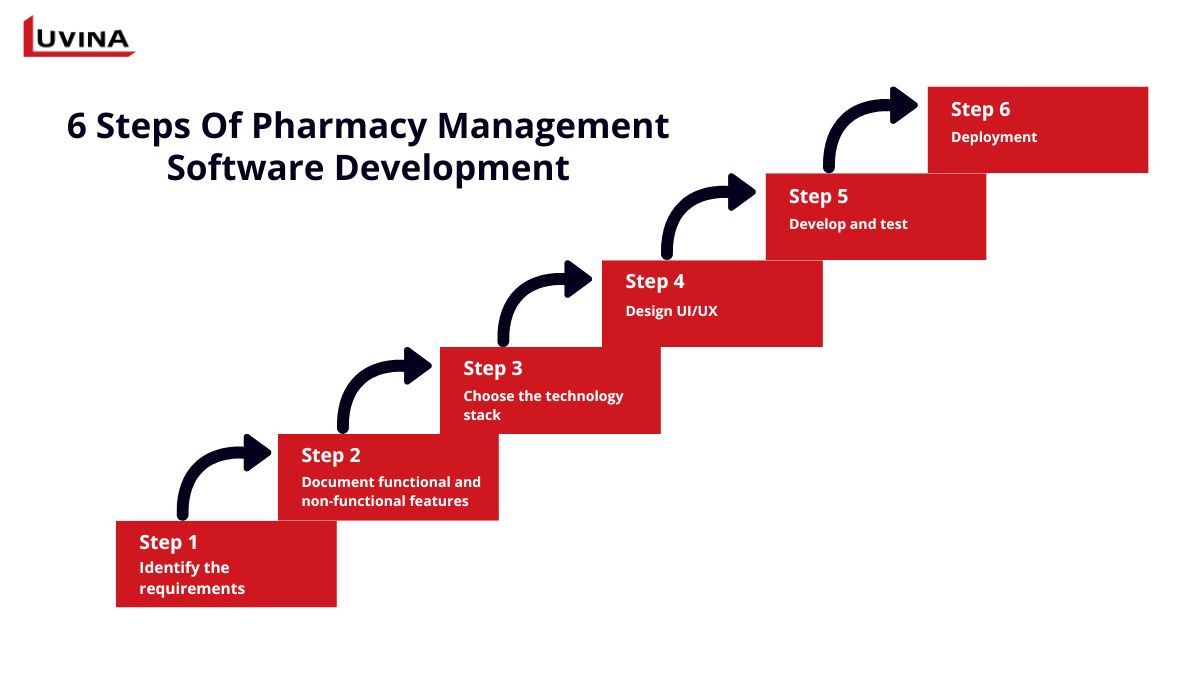
Step 1: Identify the requirements of pharmacy inventory management software
This is quite an important first step in the pharmacy management software development plan. It requires a close integration of the views of pharmacists, pharmacy managers, IT experts, and other stakeholders on the needs, challenges, and expectations that surround the software. Some fundamental questions would be:
- What are the key features and functionalities?
- What are the business goals that should be met by the software?
- Who will use the software the most?
- What are the legal requirements to be accommodated by the software?
During this phase, you should:
- Outline the overall flow of the pharmaceutical business and elaborate on each specific process.
- Elaborate on the elaboration of each business process and outline what software solutions can be implemented to make them more efficient.
- Identify configuration definitions for software modules according to needs and business objectives.
Step 2: Document functional and non-functional features
Major features are to be described, which include management of prescriptions, patient records, and payment reporting. Non-functional requirements, on the other hand, specify how the system should perform by pointing to its performance requirements, regulatory compliance, and security requirements.
Step 3: Choose the technology stack
Selection of technology stack: From this, information about the selection of programming language, framework, and libraries is provided for user interfaces. If any feature can utilize the existing integration, provide a plan here. Scalability and development cost are the two most important factors for selecting a technology stack.
Step 4: Design UI/UX
The UI/UX design defines how users will respond and engage with the software. While designing, consider the fact that the software carries your brand identity as it serves customers and pharmaceutical professionals. Some key actions include:
- Creation of a database schema: Come up with the relationship between major entities like prescription, patient, and supplier.
- Create an intuitive, user-friendly interface.
- Make sure your software is accessible to cater to all types of users, disability and otherwise.
- Development of prototypes or a proof-of-concept to test the designs and gather feedback from stakeholders.
- Do the design in iterations since it includes improvements with each cycle of feedback provided by users.
Step 5: Develop and test
Start the pharmacy management software development process by setting up the development environment and implementing CI/CD pipelines to streamline workflows. During this phase, integrate third-party APIs for features such as drug information and payment processing.
Once development is complete, conduct comprehensive testing to ensure the software functions correctly before launch. The more complex the software, the more thorough the testing should be.
Step 6: Deployment
The pharmacy management software is deployed by an appropriately structured deployment strategy in phases to seamlessly integrate the software into business operations and maximize user adoption. The deployment activities include:
- Prepare the deployment environment, including servers, databases, and necessary software.
- Migrate data from the old systems to the new ones.
- Deploy the application into production using CI/CD pipelines.
- Do post-deployment testing to prove that the software works as expected in the real world.
- Train users and support them through training sessions, user guides, and on-site support to make it easier for them to transition to a new system.
Build vs. Buy: SaaS Pharmacy Software vs. Custom Development
When deciding on pharmacy management software development, businesses often face a critical choice: buy an off-the-shelf SaaS solution or build a custom system tailored to their operations. Each approach has its pros and cons.
| Criteria | Off-the-shelf SaaS (Buy) | Custom Software by Luvina (Build) |
| Initial cost | Lower upfront cost | Higher initial investment |
| Time to market | Fast deployment | Longer development timeline |
| Data ownership | Data stored on the vendor’s servers | Full data ownership |
| Patient data security | Limited control, shared infrastructure | Maximum security, private infrastructure |
| Customization | Limited, standardized workflows | Fully customizable workflows |
| Approval & prescription flows | Hard to adapt to country-specific rules | Designed for local regulations |
| ERP/CRM integration | Restricted APIs, vendor-dependent | Seamless integration with internal ERP/CRM |
| E-Prescription integration | Often unsupported or rigid | Native integration with national portals |
| Scalability | Depends on vendor roadmap | Scales without limitation |
| Vendor lock-in | High | None |
| Long-term flexibility | Limited | Strategic asset |
Comparison: SaaS vs. Custom Pharmacy Management Software
Why Custom Pharmacy Management Software Matters in Healthcare
While SaaS pharmacy management software is attractive due to its lower cost and fast implementation, it often falls short when dealing with complex regulatory environments, sensitive patient data, and country-specific prescription workflows.
Custom pharmacy management software developed by Luvina Software provides a long-term strategic advantage by ensuring:
– Full ownership of source code and data, critical for patient privacy
– Absolute control over cybersecurity architecture
– Flexible integration with ERP, CRM, hospital systems, and national pharmaceutical data portals
– Unlimited scalability as business and regulations evolve
For organizations handling sensitive healthcare data and operating across multiple markets, building a custom pharmacy management system is not a cost. It is an investment in security, compliance, and long-term growth.
Summary
Although the initial investment cost may be high, developing pharmacy management software will help pharmacies capitalize on mobile users and increase customer loyalty over time. If you want to learn more about pharmacy management software development, discuss your project with Luvina.
Being one of the pioneers in providing value-added services for software development in the healthcare segment, Luvina can surely be in a position to offer solutions for your businesses. Our solutions are varied and will help you manage inventory automatically, as well as maintain data security. Most importantly, our approach is toward adaptability and continuous improvement to make the software scalable to meet the demands of a dynamic market.
Reach out to Luvina today and discuss developing an effective, regulatory-compliant pharmacy management software.
FAQs
How much does it cost to develop pharmacy management software?
Pharmacy management software development can be quite expensive. It varies between $30,000 to $500,000 depending on factors such as the complexity of the design and implementation, the number and type of IT professionals involved in its development, and the geographical location of the team members.
What tech trend of pharmacy management software?
Several technology trends could enhance pharmacy management systems in the future. Examples include real-time inventory management, telemedicine applications, personalized medicine using AI, advanced data analytics for healthcare predictions, and automated distribution systems.
Related Posts:
- Top 7 Best CRM For Healthcare Reviews
- Patient Portals Development: A Customer-Centric Healthcare Solution
READY TO START A PROJECT?
Our experts are eager to explore your needs.


Read More From Us?
Sign up for our newsletter
Read More From Us?
Sign up for our newsletter