




What Is RPA? Full Guide to Robotic Process Automation


Fact: 74% of employees said they have experienced burnout, while 61% of HR professionals said employee burnout has increased in the past year – a clear signal that something in the way we work needs to change
If you’re searching for what is RPA, you’re likely looking for a way to reduce manual work, improve accuracy, or scale operations without increasing headcount.
Robotic Process Automation (RPA) is one of the fastest-growing technologies in business process automation, helping companies automate repetitive, rule-based tasks using software bots.
From data entry and invoice processing to system integration, RPA software allows organizations to streamline operations without changing existing systems.
In this guide, you’ll learn:
– What RPA is and how it works
– Real-world use cases across industries
– Differences between RPA, AI, and traditional automation
– When and how to implement RPA effectively
What Is RPA?
First, let’s see what is RPA. As defined by IBM, “Robotic process automation (RPA), also known as software robotics, uses intelligent automation technologies to perform repetitive office tasks of human workers, such as extracting data, filling in forms, moving files and more.”
This type of automation is rule-based, meaning it follows predefined instructions to handle high-volume, repetitive processes with speed and accuracy. As a result, organizations can reduce manual effort and allow employees to focus on more complex and strategic work.
How Does RPA Work? The Technical Overview
RPA software works by mimicking the way humans interact with digital systems. Instead of changing existing infrastructure, it operates on top of existing applications via user interfaces (UIs) and APIs. This allows the software “robots” to log in, click, copy, paste, and move data between systems just like a human would – only faster and without errors. To understand what is RPA, it’s important to see that its real strength lies in these front-end integrations, which make it compatible even with legacy systems that lack modern back-end connections.
From a technical perspective, RPA tools rely on scripts that replicate human workflows. These scripts define step-by-step actions such as extracting data, processing transactions, or transferring information across multiple platforms. Because RPA can integrate both through UI interactions and APIs, it can connect enterprise applications that were never originally designed to work together, creating a seamless automation layer across systems.
Key Characteristics That Define RPA
Understanding what is RPA becomes clearer when you look at the core characteristics that define how it works in practice. These features not only explain its growing adoption but also highlight the key differences in the RPA vs traditional automation comparison.
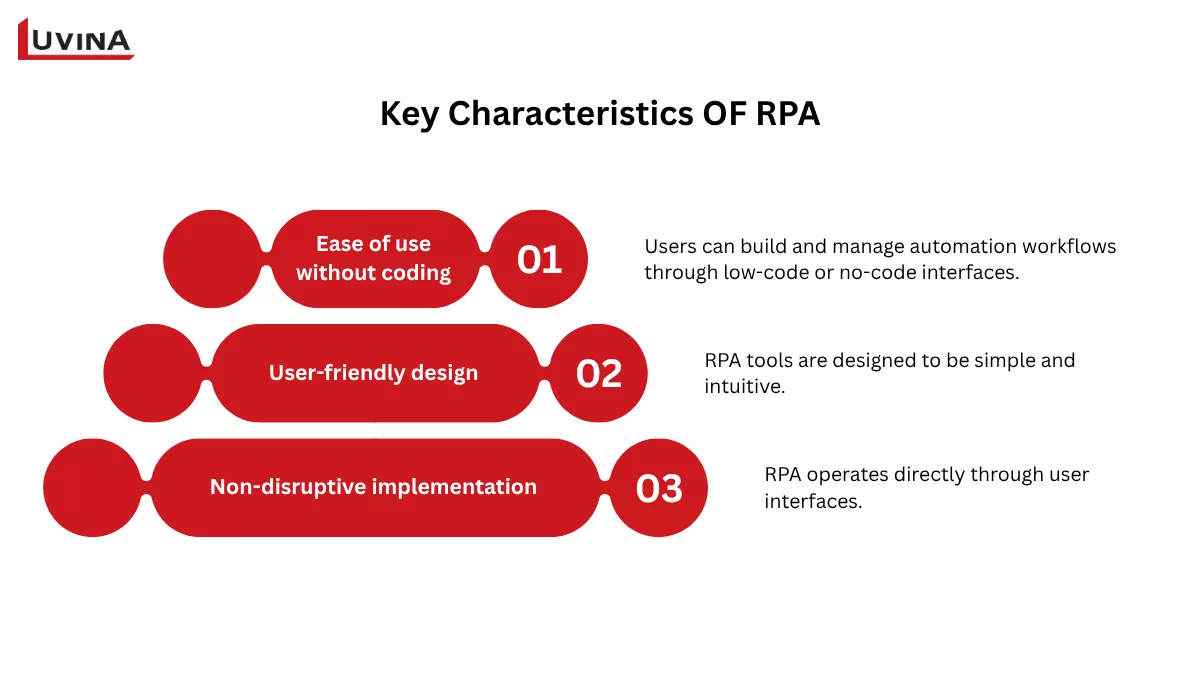
Key characteristics that define what is RPA
Ease of use without coding
One of the most notable advantages of RPA software is that it does not require programming knowledge. Users can build and manage automation workflows through low-code or no-code interfaces. This makes it easier for non-technical employees to get involved, reducing reliance on IT teams while still maintaining efficiency and control.
User-friendly design
RPA tools are designed to be simple and intuitive. Their interfaces allow users to quickly set up, monitor, and adjust automated processes. This ease of use helps organizations deploy automation faster and scale it across departments without complex training or technical barriers, reinforcing the practical value behind what is RPA in real business scenarios.
Non-disruptive implementation
Another key characteristic is that RPA works without requiring changes to existing systems. It operates directly through user interfaces, allowing businesses to automate tasks without interrupting current workflows. Compared to traditional automation, which often involves complex system transformations, RPA offers a more flexible and low-risk approach.
The Business Benefits of RPA
When businesses explore automation, one of the first questions is what is RPA and why it matters in real operations. The benefits of robotic process automation are clear: it helps companies reduce manual workload, improve accuracy, and scale faster without adding complexity.
Lower costs, higher efficiency
RPA reduces the time spent on repetitive tasks, which directly cuts operational costs. Instead of expanding headcount, businesses can handle more work with the same resources, leading to better productivity and ROI.
Accuracy and compliance built in
Because bots follow fixed rules, they execute tasks consistently and with minimal errors. This is especially valuable in processes that require strict compliance, where audit trails and transparency are essential. It also answers part of what is RPA – a reliable way to standardize operations at scale.
Faster service, better customer experience
With automation running 24/7, response times are significantly reduced. RPA can quickly pull data from multiple systems and deliver accurate information to customers, improving satisfaction without increasing pressure on support teams.
More value from your workforce
RPA removes repetitive, high-volume tasks from employees’ daily work. This allows them to focus on strategic and creative activities, improving both productivity and morale while opening opportunities for upskilling.
Flexible and non-disruptive scaling
Another key advantage tied to what is RPA is its ability to work on top of existing systems. It connects different applications – even legacy ones – without requiring major changes, making it easier to scale and modernize operations quickly.
When to use RPA?
Understanding what is RPA is only the first step; the real value comes from knowing when it actually makes sense to use it. Instead of trying to apply it everywhere, businesses should focus on use cases where automation can deliver a quick and measurable impact.
Automating repetitive, manual processes
RPA is ideal for tasks that are time-consuming but follow clear, consistent rules. These processes are often handled manually, require little decision-making, and don’t change frequently.
Working with legacy systems
Many older systems lack modern integrations like APIs and can only be accessed through user interfaces. In this case, RPA acts as a bridge – automating tasks without requiring costly system upgrades.
Department-level automation
RPA is also well-suited for individual departments that want to improve efficiency without relying heavily on IT. Many tools are designed for “citizen developers,” allowing non-technical teams to build and manage their own bots.
Starting with automation or PoC
If your organization is new to automation, RPA is a good starting point. It is relatively easy to implement and allows teams to test automation on a smaller scale before expanding. This makes it ideal for pilot projects.
In contrast, RPA is less effective when processes are complex, constantly changing, or require coordination across multiple departments.
Real-World RPA Use Cases by Industry
The easiest way to grasp the value behind what is RPA is through its practical applications. Across industries, RPA supports business process automation by handling repetitive, rule-based tasks and ensuring data flows smoothly between systems. It often works behind the scenes – collecting, updating, and structuring data so other digital tools and AI systems can operate effectively.
To make this more concrete, the table below highlights how different industries are using RPA in real-world scenarios.
| Industry | Common RPA use cases |
|---|---|
| Sales | Extracting invoice data, updating legacy systems, supporting quote-to-cash workflows |
| Customer service | Collecting and organizing customer data from multiple sources, enabling faster support |
| Marketing | Gathering pricing and product data, supporting targeted campaign execution |
| E-commerce/retail | Processing returns, updating order data, synchronizing inventory systems |
| Manufacturing | Invoice processing, supply chain management, stock and accounts payable automation |
| Telecommunications | Customer onboarding/offboarding, data processing, billing, and debt collection |
| Banking and financial services | Account opening, transaction processing, reporting, and fraud detection |
| Insurance | Claims processing, underwriting, policy administration, and compliance tasks |
| Retail | Inventory management, demand planning, CRM updates, and customer support |
| Healthcare | Appointment scheduling, patient data management, and insurance claims automation |
| Supply chain and logistics | Shipment tracking, procurement, invoicing, order processing |
| Public sector | Data extraction, registration processing, reporting, and compliance management |
RPA use cases in different industries and sectors
RPA vs Related Technologies: Understanding the Differences
As organizations expand their automation strategies, RPA is often mentioned alongside other technologies, which can make the landscape confusing. While many tools aim to improve efficiency, they operate in different ways and serve different purposes. Understanding these distinctions is essential to fully grasp what is RPA and where it fits within a broader automation ecosystem. The sections below break down how RPA compares with related technologies.
RPA vs Business Process Management (BPM)
To clarify the difference, it helps to revisit what is RPA in context. RPA is a technology focused on automating specific, rule-based tasks using software bots. In contrast, Business Process Management (BPM) is a broader discipline that looks at the entire business process from end to end.
A common misconception is that RPA can replace BPM. In reality, they serve different roles. RPA acts as a task executor within a process, while BPM acts as the strategic framework that defines and improves the process itself. In short, BPM defines how work should flow, while RPA executes parts of that work efficiently. When combined, they form a stronger foundation for intelligent automation.
| RPA | BPM | |
|---|---|---|
| Definition | Automates specific tasks using software bots | Manages and optimizes end-to-end business processes |
| Focus | Narrow, task-level automation | Broad, process-level optimization |
| Function | Mimics human actions | Analyzes, models, and improves workflows |
| Role | Acts as a “digital worker” for repetitive tasks | Acts as a strategic framework for process improvement |
| Implementation | Works on top of existing systems with minimal changes | Often redesigns processes from the ground up |
| Use cases | Data extraction, invoice processing, system integration | Process optimization, bottleneck analysis, strategic alignment |
What is the difference between RPA and BPM?
RPA vs Artificial Intelligence and Machine Learning
When comparing automation technologies, the key is not just asking what is RPA, but understanding how it differs from AI and Machine Learning in real use cases. Robotic process automation replicates actions, while AI replicates decision-making.
This difference becomes more evident when working with different types of data. RPA performs best with structured data that is already organized and easy to process. In contrast, AI – powered by ML can interpret unstructured data such as emails, PDFs, or images. In discussions like RPA vs AI agent, AI agents rely on data prepared or collected by RPA to generate insights, predictions, or automated responses. Instead of competing, these technologies often work together to create more advanced automation systems.
| RPA | AI and ML | |
|---|---|---|
| Core function | Automates repetitive tasks by mimicking human actions | Simulates human thinking and decision-making |
| Data handling | Works with structured data | Handles both structured and unstructured data |
| Learning ability | Does not learn or adapt over time | Continuously learns from data and improves |
| Use cases | Data entry, transaction processing, system integration | Fraud detection, email classification, data prediction |
| Role in automation | Executes tasks efficiently and consistently | Provides insights, decisions, and cognitive capabilities |
The difference between RPA and AI/ML
RPA vs Low-Code/No-Code Automation
To clearly see the difference, it helps to place what is RPA in the broader automation landscape. RPA software acts as a digital worker that executes tasks within existing systems, while low-code/no-code platforms act as development tools that help teams design and deploy new applications quickly. T
They often complement each other: low-code tools can simplify the process of building and managing RPA bots, making automation more accessible to both technical and non-technical users.
| RPA | Low-code/No-code | |
|---|---|---|
| Core purpose | Automates repetitive tasks using bots | Builds applications and workflows visually |
| Function | Mimics human actions | Enables rapid app development with minimal coding |
| User base | Business users and operations teams | Both developers and citizen developers |
| Flexibility | Focused on rule-based tasks | Highly flexible, supports customization |
| Role in automation | Executes tasks within processes | Designs and manages automation systems |
Comparison between RPA and low-code/no-code automation
What is RPA: Advantages and Disadvantages
Before deciding whether to adopt automation, it’s important to look at both sides of the equation. Understanding what is RPA in real-world use also means recognizing not only its strengths but also its limitations. While RPA can deliver efficiency and cost savings, it is not a one-size-fits-all solution and works best in specific scenarios.
| Pros | Cons |
|---|---|
| High accuracy, fewer human errors | Limited to repetitive, rule-based tasks |
| Saves time and reduces operational costs | Difficult to scale without a clear strategy |
| Improves employee productivity and morale | Can become complex with too many bots |
| Works on existing systems, no disruption | Requires well-structured processes first |
Robotic Process Automation: Pros and Cons
The RPA Market and Popular Platforms
The global RPA market is growing rapidly as businesses look for ways to improve efficiency and reduce costs. In fact, the market was valued at USD 4.68 billion in 2025 and is projected to reach USD 35.84 billion by 2033, with a strong CAGR of 29.0%. North America currently holds the largest share (over 39%), while Asia Pacific is the fastest-growing region.
This growth is driven by increasing demand for automation across industries, especially in high-volume, rule-based processes. As companies continue to explore what is RPA and its real-world impact, adoption is expanding from simple task automation to more advanced, AI-supported workflows.
At the same time, the market is evolving with a wide range of RPA tools that support everything.
The table below highlights some of the most widely used RPA platforms today.
| RPA platforms | Key strength |
|---|---|
| UiPath | Scalable automation with strong AI integration and enterprise capabilities |
| IBM | Combines RPA with AI insights and enterprise observability |
| Appian | Low-code automation for rapid app and workflow development |
| Microsoft Power Automate | Deep integration with the Microsoft ecosystem and cloud services |
| SS&C Blue Prism | Strong governance, security, and digital workforce management |
| Automation Anywhere | AI-driven automation with user-friendly deployment |
Some of the most widely used RPA platforms
Getting Started with RPA: A Practical Roadmap
Adopting automation can feel complex at first, especially if you’re still exploring what is RPA and how it fits into your organization. The key is to approach it step by step- starting small, proving value, and then scaling with confidence. Below is a structured roadmap that helps businesses move from initial ideas to real impact, turning robotic process automation into a practical driver of business process automation across teams.
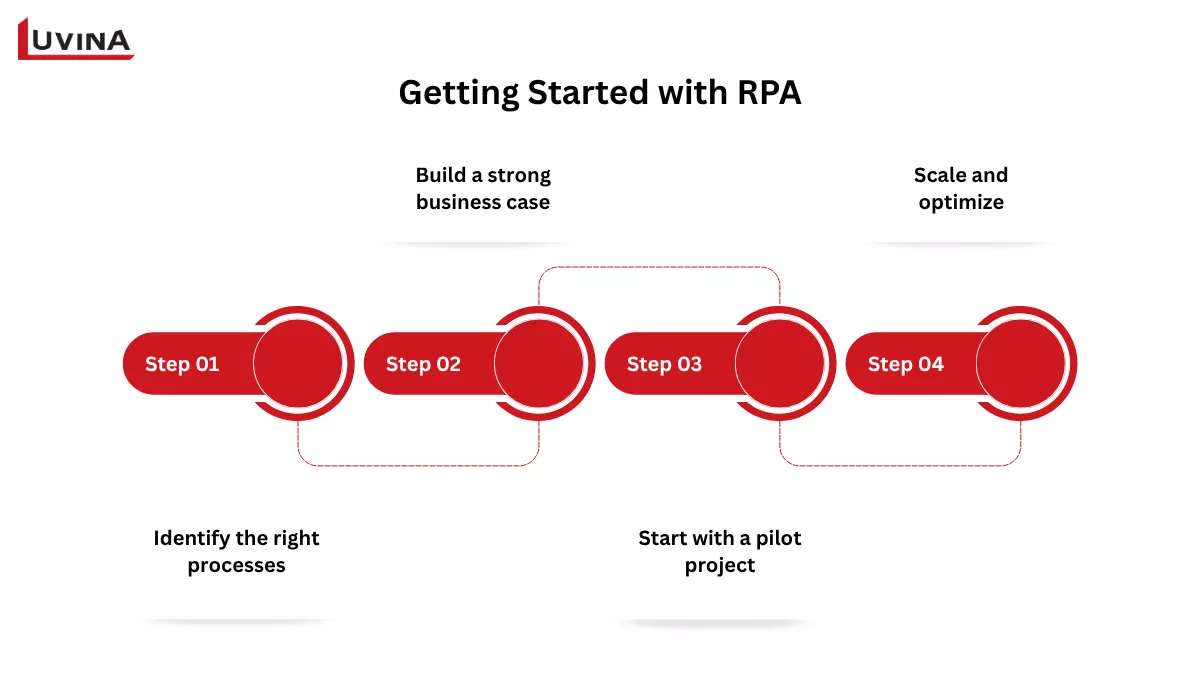
The step-by-step process of implementing RPA in business
Step 1: Identify the right processes
The first step is choosing processes that are suitable for automation. Focus on tasks that are repetitive, rule-based, high-volume, and stable over time. These are often manual activities that consume significant effort and are prone to human error. Processes that rely on digital data – rather than paper – are also easier to automate. Identifying the right candidates early makes it easier to see the real value behind what is RPA in day-to-day operations.
Step 2: Build a strong business case
Once potential processes are identified, the next step is to define the expected impact. This includes cost savings, efficiency gains, improved accuracy, and better compliance. A clear business case helps stakeholders understand why automation matters and supports informed investment decisions.
Step 3: Start with a pilot project
Instead of scaling immediately, begin with a small pilot. Choose a simple process that can demonstrate quick wins without affecting critical operations. This allows teams to test performance, gather feedback, and refine the approach. Early success helps build confidence internally and shows how what is RPA translates into measurable results.
Step 4: Scale and optimize
After a successful pilot, automation can be expanded to more processes. This requires a clear plan, proper training, and ongoing monitoring. Key performance indicators such as accuracy, speed, cost savings, and customer satisfaction should be tracked to measure success. Continuous improvement is essential – regular reviews and feedback help refine workflows and ensure long-term efficiency. At this stage, organizations move beyond experimentation and fully realize what is RPA as a scalable solution.
FAQs – Commonly Asked Questions About RPA
1. What does RPA stand for?
RPA stands for Robotic Process Automation, a technology that uses software bots to mimic human actions in digital systems.
2. How is RPA different from traditional automation?
RPA works on the front-end, mimicking user actions with little coding, while traditional automation relies on backend integration and complex development.
3. How much does RPA cost?
RPA costs range from a few hundred dollars for small projects to $5,000–$15,000 per bot/year, and up to $1M+ annually for enterprise setups.
4. What skills are needed to implement RPA?
Coding basics, process mapping, business understanding, RPA tools, APIs, data analytics, and change management.
5. What’s the difference between RPA and intelligent automation?
RPA handles rule-based tasks; intelligent automation adds AI to analyze data, make decisions, and learn.
6. Which industries benefit most from RPA?
Finance, healthcare, and manufacturing – where processes are high-volume and rule-based.
Conclusion
If you’re exploring how RPA can fit into your business, the key is not just automation, but choosing the right processes and architecture from the start.
At Luvina, we help businesses:
– Identify high-impact automation opportunities
– Design scalable RPA solutions
– Integrate RPA with existing systems and AI capabilities
Talk to our experts to see how RPA can deliver measurable ROI for your operations.
Resources
- https://www.ibm.com/think/topics/rpa
- https://www.salesforce.com/artificial-intelligence/rpa-robotic-process-automation
- https://medium.com/@rpaimplementation/robotic-process-automation-rpa-and-its-characteristics-728273654e54
- https://www.hyland.com/en/resources/terminology/robotic-process-automation/rpa-vs-bpm
- https://www.theknowledgeacademy.com/blog/advantages-and-disadvantages-of-rpa
- https://www.grandviewresearch.com/industry-analysis/robotic-process-automation-rpa-market
- https://technologymagazine.com/top10/top-10-rpa-platforms
- https://medium.com/@apoorv-gehlot/rpa-implementation-roadmap-a-step-by-step-guide-for-banking-institutions-8f3daf69b1d2
READY TO START A PROJECT?
Our experts are eager to explore your needs.

Read More From Us?
Sign up for our newsletter
Read More From Us?
Sign up for our newsletter