




Dynamics 365 vs Salesforce: Which CRM Is Better?


Choosing Dynamics 365 vs Salesforce is not just a technology decision.
It’s a strategic choice that will shape how your business manages growth, data, and customer relationships over the next 5–10 years.
While Salesforce dominates as a pure-play CRM leader, Dynamics 365 is increasingly becoming the preferred option for organizations looking to unify CRM and ERP within a single ecosystem.
The real question is not “which is better,” but:
Which platform aligns with how your business operates, and how it plans to scale?
Understanding Dynamics 365 and Salesforce correctly
What Is Microsoft Dynamics 365?
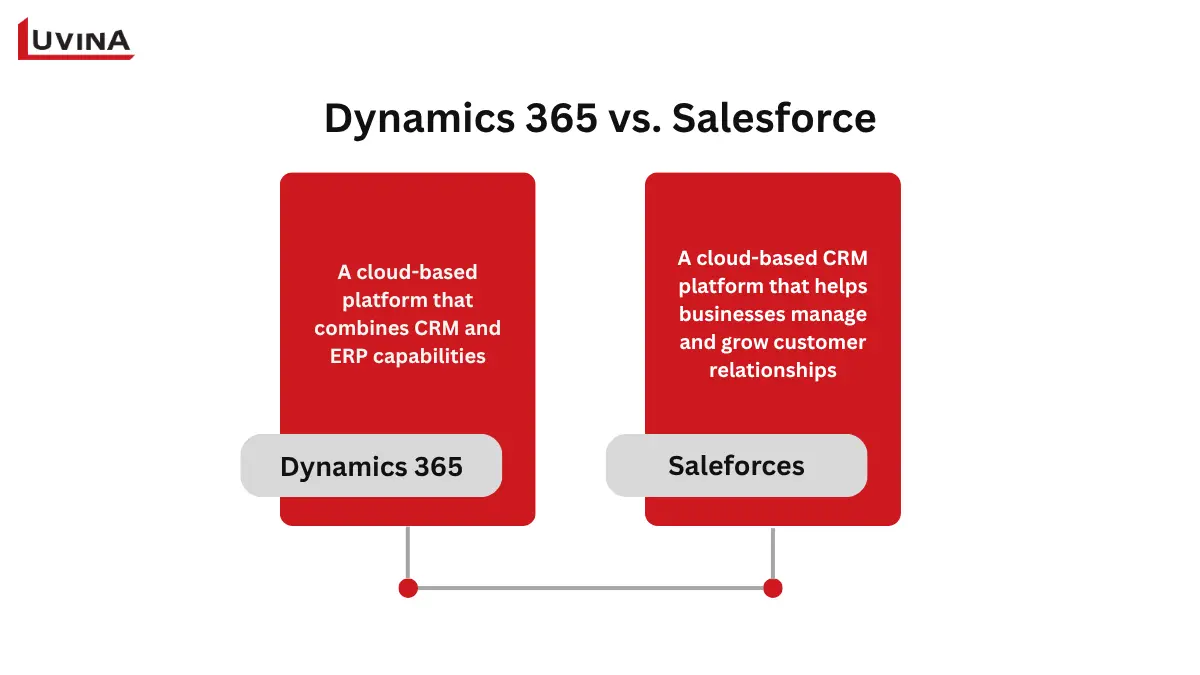
Microsoft Dynamics 365 is a cloud-based platform that combines CRM and ERP capabilities to help businesses manage customer relationships, operations, and data in one system. Among them, the Microsoft Dynamics 365 CRM focuses on improving sales processes and customer interactions through AI-powered tools, including lead management, analytics, and workflow automation.
As part of a broader ecosystem, it also supports service, finance, and supply chain functions, allowing companies to connect different departments or use each module independently based on their needs. This flexibility is one of the key points often discussed in Dynamics 365 vs Salesforce comparisons, especially for businesses considering a scalable Microsoft Dynamics 365 ERP development solution.
What Is Salesforce?
Salesforce is a cloud-based CRM platform that helps businesses manage and grow customer relationships across sales, marketing, service, and e-commerce. It is designed to store, track, and analyze customer data in one place, while also allowing teams to integrate information from multiple sources for a complete view of customers and prospects.
Similar to other leading platforms often compared in Dynamics 365 vs Salesforce, Salesforce offers a flexible and scalable structure. Businesses can start with a core product and expand over time using solutions for sales productivity, marketing automation, customer support, and operational efficiency.
Dynamics 365 vs Salesforce: Key Differences Overview
When considering Microsoft vs Salesforce CRM, it’s clear that both platforms offer enterprise-grade capabilities, yet they differ in deployment options, customization, AI tools, and pricing. Salesforce remains the global market leader, while Microsoft Dynamics 365 is increasingly recognized as a strong competitor, offering tight integration with Microsoft products and flexible deployment options.
Both CRMs cover key functions like sales, marketing, service, and analytics, but they approach these differently.
– Microsoft Dynamics 365 CRM is particularly strong for businesses already using Microsoft 365 and Power Platform, offering seamless AI features through Copilot and hybrid deployment options.
– Salesforce excels in its AppExchange ecosystem, advanced AI via Einstein, and a highly customizable environment suitable for cloud-only operations.
Here’s a brief comparison of Dynamics 365 vs Salesforce to highlight the key differences at a glance:
| Microsoft Dynamics 365 | Salesforce | |
| Deployment | Cloud, on-premises, hybrid | Cloud only |
| Core CRM modules | Sales, Customer Service, Marketing, Field Service | Sales Cloud, Service Cloud, Marketing Cloud |
| Customization | Power platform (low-code) | Apex, lightning platform |
| AI Features | Microsoft Copilot | Salesforce Einstein |
| Integration | Microsoft 365, Teams, Power BI | AppExchange ecosystem |
| Pricing | Typically lower total cost | Often higher with add-ons |
| Reporting and analytics | Power BI integration, real-time dashboards | Native reports, Tableau (add-on) |
| Mobile experience | Robust app with offline capabilities | Strong mobile support |
| Support and ecosystem | Microsoft Partner Network | Salesforce Trailblazer Network |
Overview comparison of Dynamics 365 vs Salesforce
Core CRM Features Comparison
Many businesses fail to get value from a CRM due to avoidable mistakes during selection and implementation. These issues often impact user adoption, system effectiveness, and long-term scalability.
– Lack of willingness to learn and adapt to new technology
– Not involving end users early, leading to low adoption
– No clear objectives to measure success or ROI
– Choosing “out-of-the-box” solutions without proper customization
– Selecting a CRM that cannot scale with business growth
With these common pitfalls in mind, the next step is to focus on what truly matters in a CRM system, starting with a closer look at the core features that define and differentiate leading platforms.
Understanding the core CRM features is important when evaluating Dynamics 365 vs Salesforce. Dynamics 365 leverages AI through Copilot to guide sales actions, personalize marketing journeys, and streamline service operations, while Salesforce emphasizes automation, advanced analytics, and its extensive AppExchange ecosystem to enhance engagement and operational efficiency.
In sales
– Dynamics 365 Sales focuses on lead prioritization, AI-powered forecasting, and team productivity.
– Salesforce Sales Cloud offers revenue lifecycle management, sales engagement tools, and predictive analytics.
In marketing
– Dynamics 365 Marketing delivers AI-driven customer insights and real-time journey adjustments.
– Salesforce Marketing Cloud excels in cross-channel personalization, automated messaging, and loyalty programs.
In service
– Dynamics 365 Customer Service uses Copilot to optimize case routing, automate responses, and enable remote support
– Salesforce Service Cloud relies on Einstein Bots, intelligent operations, and contact center integration.
Both platforms deliver enterprise-grade functionality, but these differences highlight where each CRM may better suit specific business needs in the Dynamics 365 vs Salesforce comparison.
| Microsoft Dynamics 365 | Salesforce | |
| Sales automation | Lead scoring, AI-based forecasting, Copilot insights, and relationship sales | Revenue lifecycle management, lead ranking, automated follow-ups, sales dashboards |
| Marketing automation | Customer Insights, AI-driven journeys, real-time content personalization | Cross-channel personalization, email/mobile/ads automation, loyalty programs |
| Customer service | AI-assisted case routing, chatbots, Remote Assist, field service automation | Einstein Bots, intelligent service operations, contact center, field service management |
Differences in key features of the 2 platforms
>>> Read more: Salesforce Implementation services
Dynamics 365 Contact Center vs Salesforce Contact Center
Dynamics 365 Contact Center is a cloud-based solution that enables businesses to manage high-volume, omnichannel customer interactions in a unified workspace. It connects voice calls, chat, email, SMS, web, mobile apps, and social media, while AI-driven tools like Copilot Studio assist agents with routine tasks, suggested responses, conversation summaries, and sentiment analysis. Integration with Microsoft Teams and the Power Platform allows seamless collaboration and workflow customization, making it scalable and adaptable for complex service environments.
Salesforce Contact Center, on the other hand, is designed to transform customer service operations through automation, AI, and real-time insights. Service Cloud Voice, Digital Engagement, self-service tools, and Einstein Conversation Insights provide multi-channel support and actionable intelligence for contact center teams.
Both platforms aim to improve efficiency, customer satisfaction, and agent productivity, but their approaches and integrations differ. This makes evaluating Dynamics 365 vs Salesforce necessary for choosing the solution that best fits your business needs.
| Feature | Dynamics 365 Contact Center | Salesforce Contact Center |
| Channel support | Voice, chat, email, SMS, web, mobile apps, social media | Voice, chat, digital channels, self-service portals |
| AI and automation | Copilot Studio, virtual agents, suggested responses, sentiment analysis | Einstein Conversation Insights, automated bots, and self-service tools |
| Collaboration and integration | Microsoft Teams, Power Platform, third-party apps | Native Salesforce apps, Service Cloud integrations |
| Workflow customization | Custom dashboards, AI-assisted case routing, Copilot automation | Omni Routing, shift scheduling, workflow automation |
| Scalability | Cloud-based, flexible plans with advanced AI credits | Cloud-based, scalable for enterprise contact centers |
| Customer insights | Real-time analytics, performance tracking, predictive suggestions | Real-time dashboards, AI-driven customer insights, and feedback management |
How does Dynamics 365 Contact Center differ from Salesforce Contact Center?
Dynamics 365 Business Central Services vs Salesforce
Dynamics 365 Business Central services combine finance, operations, sales, and CRM functionalities into a single cloud-based solution. It allows businesses to manage their entire operation from one unified system, reducing reliance on multiple tools and improving workflow efficiency. Its tight integration with Microsoft 365 applications, such as Outlook, Teams, and Excel, enhances productivity by enabling users to update financials, customer records, and project data directly within familiar environments. When comparing Dynamics 365 vs Salesforce, Business Central stands out for organisations seeking full business management rather than just CRM capabilities.
Salesforce, in contrast, focuses on sales, service, and marketing automation. While it excels in customer relationship management and AI-driven insights, it often requires additional integrations or third-party apps to achieve the level of operational coverage provided natively by Business Central.
When evaluating Dynamics 365 vs Salesforce, businesses should consider their need for ERP functionality, project oversight, supply chain management, and financial reporting.
| Feature | Dynamics 365 Business Central | Salesforce |
| Core focus | All-in-one ERP: Finance, Operations, Sales, CRM | Best-in-class CRM: Sales, Service, Marketing |
| Ecosystem | Tight Microsoft 365/Teams/Outlook integration | Wide third-party AppExchange ecosystem |
| AI | Integrated Copilot for finance, sales, and operations | Einstein AI (often paid add-on) |
| Deployment | Cloud, on-premise, hybrid | Cloud-only |
| Customization | Power platform (low-code) | Lightning platform (Apex, pro-code) |
| Financial management | Automated bank reconciliation, cash-flow forecasting, and in-depth reporting | Limited; often requires third-party add-ons |
| Project management | Job costing, resource planning, and real-time tracking | Minimal; usually needs external tools |
| Supply chain and inventory | Vendor management, order fulfillment, and inventory tracking | Focused on CRM; external solutions required |
| Security and compliance | Role-based access, encryption, and Microsoft security integration | Strong security; less native ecosystem coverage |
| Affordability | Competitive pricing for SMBs, scalable | Can become costly as additional modules are needed |
Comparison of Dynamics 365 Business Central Services vs Salesforce
For suitability, Dynamics 365 Business Central is ideal for mid-sized businesses that want a unified ERP and CRM system, covering everything from finance and operations to supply chain and project management. Salesforce, meanwhile, works best for enterprises focused on advanced CRM, sales, and service functions.
Choosing between these two solutions depends on whether your priority is full operational management or specialized customer relationship excellence – a core question in any Dynamics 365 vs Salesforce evaluation.
AI Capabilities: Microsoft Copilot vs Salesforce Einstein
AI has become a key differentiator in modern CRM platforms. Both Microsoft and Salesforce have made significant investments in AI to enhance productivity and decision-making.
Each platform uses its own AI tool
AI in Microsoft Dynamics 365
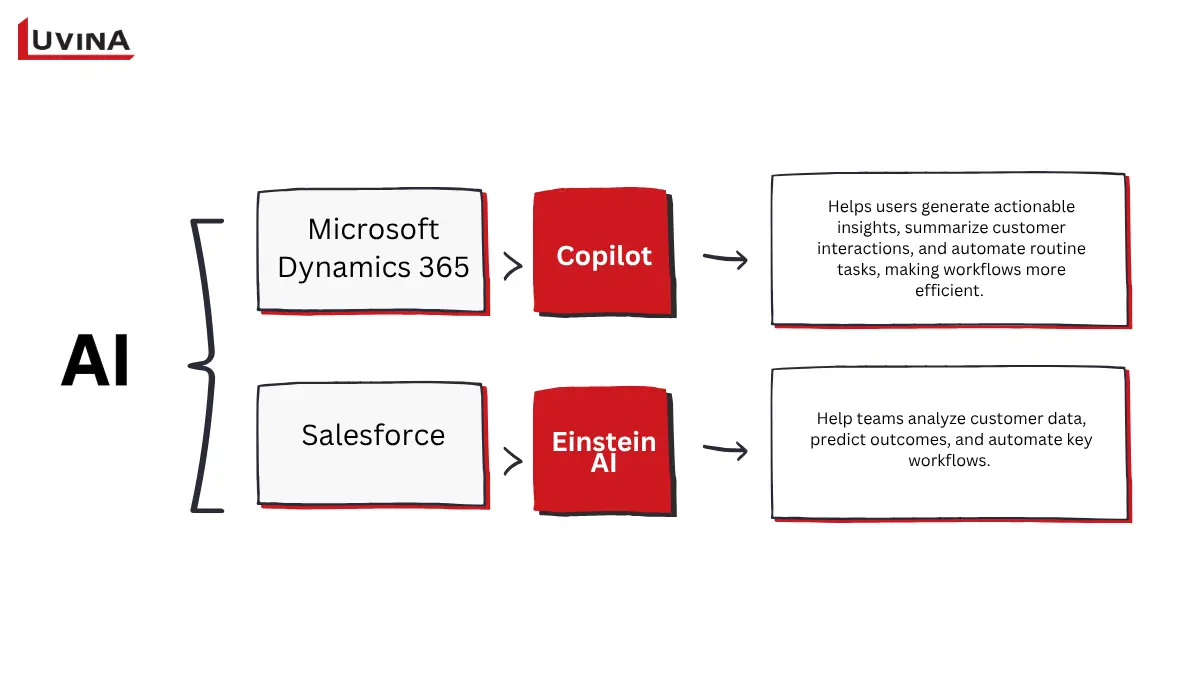
In comparison between Dynamics 365 vs Salesforce, Microsoft Dynamics 365 leverages artificial intelligence through Copilot, which is embedded across its suite of CRM and business applications. Copilot helps users generate actionable insights, summarize customer interactions, and automate routine tasks, making workflows more efficient.
For examples:
– The Sales team can draft emails, summarize meetings, and analyze opportunities within their sales pipeline
– Service agents receive AI-generated case summaries and suggested responses to resolve customer issues faster.
– Marketing teams use AI to segment audiences, design customer journeys, and deliver personalized campaigns.
Because Dynamics 365 works seamlessly with Microsoft tools like Teams, Outlook, and Power BI, Copilot can pull data from across the organization and provide context-aware recommendations that improve collaboration and decision-making. This integration of AI into daily workflows is a standout feature when considering Dynamics 365 vs Salesforce, offering businesses intelligence that is both embedded and actionable.
AI in Salesforce
Salesforce incorporates AI through Einstein AI (different from Copilot when comparing enterprise CRM solutions). Einstein AI is integrated across its CRM platform to help teams analyze customer data, predict outcomes, and automate key workflows.
– Sales teams can leverage Einstein to score leads, forecast sales, and identify high-value opportunities.
– Customer service teams benefit from AI-driven case classification, suggested responses, and knowledge article recommendations to resolve issues faster.
– Marketing teams can also use Einstein to generate content, automate communications, and track campaign performance for more effective engagement.
In the context of Dynamics 365 vs Salesforce, Einstein’s AI of Salesforce emphasizes predictive insights and generative AI for CRM-specific tasks, giving organizations powerful tools to optimize sales, service, and marketing workflows.
AI Capability Comparison
While both platforms enhance efficiency and decision-making, the approach to AI integration differs. Microsoft leverages Copilot across its ecosystem, while Salesforce embeds Einstein AI within its cloud platform, allowing organizations to tailor AI-driven insights to their workflows. In considering Dynamics 365 vs Salesforce, the choice often depends on which ecosystem your organization relies on and how AI features fit into existing processes.
| AI Capability | Microsoft Dynamics 365 | Salesforce |
| AI assistant | Microsoft Copilot | Salesforce Einstein |
| Sales insights | Opportunity insights, meeting summaries, and AI-generated emails | Lead scoring, pipeline forecasting |
| Customer service AI | Case summarization, suggested responses, and sentiment analysis | Automated case routing, knowledge recommendations |
| Marketing AI | AI-generated customer journeys and segmentation | Predictive campaign insights and engagement scoring |
| Ecosystem integration | Deep integration with Microsoft 365, Teams, and Power BI | Integration across Salesforce clouds and AppExchange |
Which AI is stronger?
What this means for your business:
If your organization already relies heavily on Microsoft tools, Copilot delivers immediate value by embedding AI directly into daily workflows.
On the other hand, Salesforce Einstein is more powerful for organizations that prioritize advanced CRM analytics and customer engagement optimization.
Pricing Comparison
Microsoft Dynamics 365 and Salesforce pricing structures are both flexible, but they differ in transparency, bundling options, and included features. In the context of Dynamics 365 vs Salesforce, it’s important to note that while Salesforce pricing can vary significantly depending on add-ons and cloud products, Dynamics 365 provides a clear public pricing guide with options for both standalone apps and bundled plans.
Salesforce uses a tiered pricing model across its clouds. Each higher tier adds more advanced features such as forecasting, workflow automation, and 24/7 support. Salesforce also offers customized pricing for organizations that license multiple products together, making it essential to contact the vendor for precise cost estimates.
Microsoft Dynamics 365 offers both standalone applications and bundled plans. Microsoft also offers lower-cost licensing for team members and device-based access, making it easier for organizations to scale efficiently.
Considering Dynamics 365 vs Salesforce, Dynamics 365’s pricing tends to be more predictable, especially when multiple apps are deployed within the Microsoft ecosystem.
| Plan/ Module | Salesforce | Dynamics 365 |
| Sales Cloud | $25–$300 /user/month | $95/user/month (Standalone sales) |
| Service Cloud | $75–$300 /user/month | $95/user/month (Standalone service) |
| Full CRM + ERP Bundle | N/A | $210/user/month (Dynamics 365 plan) |
| Customer engagement plan | N/A | $115/user/month |
| Starter/ essentials | $25–$75/user/month | N/A |
| Enterprise/ advanced | $150–$300/user/month | Included in Plan/ Custom add-ons |
The pricing structures of the two platforms differ significantly
Integration Capabilities: Microsoft Ecosystem vs AppExchange
Modern CRM platforms need to connect smoothly with everyday tools and core business systems. When looking at Dynamics 365 vs Salesforce, the difference is not just about how many integrations are available, but how deeply those integrations are embedded into each platform’s ecosystem and workflows.
Overview of the integration capabilities of D365 and Salesforce
Microsoft Dynamics 365 ecosystem with AppSource
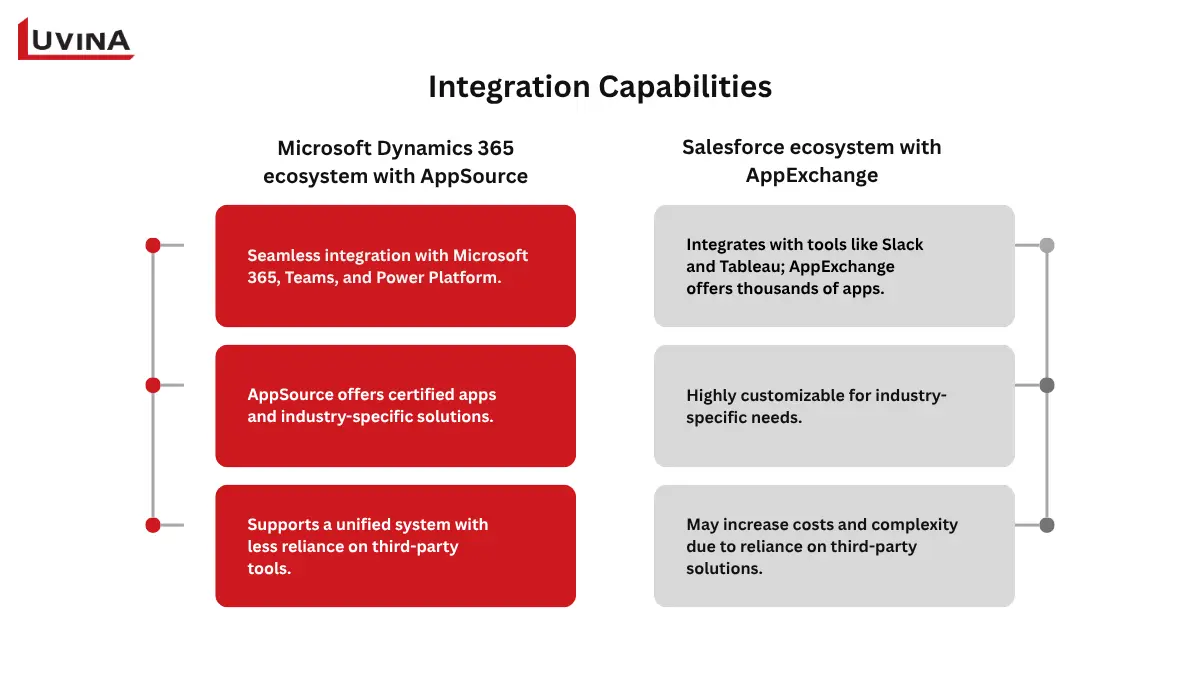
Microsoft Dynamics 365 stands out for its tightly connected ecosystem. It is built to work seamlessly with Microsoft 365, Teams, and Power Platform, allowing data, communication, and insights to flow naturally across tools employees already use.
In addition to native integrations, Microsoft AppSource extends the platform’s capabilities. It offers a wide range of certified applications and industry-specific solutions that integrate directly with Dynamics 365 and the broader Microsoft cloud. These extensions are designed to align with Microsoft’s standards for security, performance, and governance. In the broader discussion of Dynamics 365 vs Salesforce, this approach supports a more unified system, where CRM, analytics, and automation operate together without creating fragmented workflows.
Salesforce ecosystem with AppExchange
Salesforce takes a different approach by focusing on flexibility through its cloud ecosystem. It integrates natively with tools like Slack and Tableau, while AppExchange provides access to thousands of third-party applications and extensions. This allows organizations to customize their CRM environment with specialized tools tailored to specific industries or business needs.
However, this flexibility often comes with trade-offs. Many integrations rely on external vendors, which can introduce additional licensing costs and increase dependency on third-party solutions. Over time, this may add complexity to system management and scaling.
When comparing Dynamics 365 vs Salesforce, Salesforce’s ecosystem offers broader choice, but Dynamics 365 provides a more tightly integrated experience within a single platform.
Dynamics 365 Admin vs Salesforce Admin Experience
Behind every CRM system is an admin experience that directly impacts how efficiently teams can operate and scale. Rather than just comparing features, a more practical lens is how administrators interact with each platform day to day. Seen from this angle, the Dynamics 365 vs Salesforce discussion becomes less about tools and more about workflows, learning curve, and how well each system fits into an organization’s existing tech environment.
The admin experience of the 2 platforms is different
Dynamics 365 Admin Role & Responsibilities
A Dynamics 365 admin typically works across customer engagement applications such as Sales and Service, often within a broader ecosystem that includes ERP and other Microsoft solutions. This role goes beyond CRM configuration, requiring alignment across multiple business systems, especially during phases of the ERP implementation life cycle where CRM and ERP processes need to be tightly connected.
Key responsibilities include:
– Managing environments, solutions, and security roles via the Power Platform Admin Center.
– Handling Dataverse configuration, including tables, columns, and relationships, while managing users and licensing through the Microsoft 365 Admin Center.
– Integration with Microsoft Entra ID (Azure AD).
The platform relies on tools like Power Apps, Power Automate, and Power BI to enable customization, workflow automation, and reporting. These low-code/no-code capabilities allow admins to build solutions without heavy coding, but workflows often require structured planning to match complex business processes. This is where the Dynamics 365 vs Salesforce difference becomes clear – Dynamics 365 emphasizes system-wide consistency over quick setup.
Salesforce Admin Role & Responsibilities
Salesforce administrators focus on configuring a dedicated CRM platform designed to support sales, service, and marketing teams. The role is centered on usability, speed, and enabling business users to adapt the system quickly.
Admins manage users, profiles, permission sets, and role hierarchies through the Setup menu. They use Lightning App Builder and Flow Builder to customize the interface and automate processes. For more advanced logic, Apex may be required, typically involving developer support.
Salesforce also stands out with its AppExchange ecosystem, offering thousands of integrations that admins can deploy quickly. Between Dynamics 365 vs Salesforce, Salesforce is often seen as more approachable at the beginning, supported by an intuitive design and structured learning paths like Trailhead.
Admin Experience Comparison
The difference in admin experience comes down to structure versus flexibility.
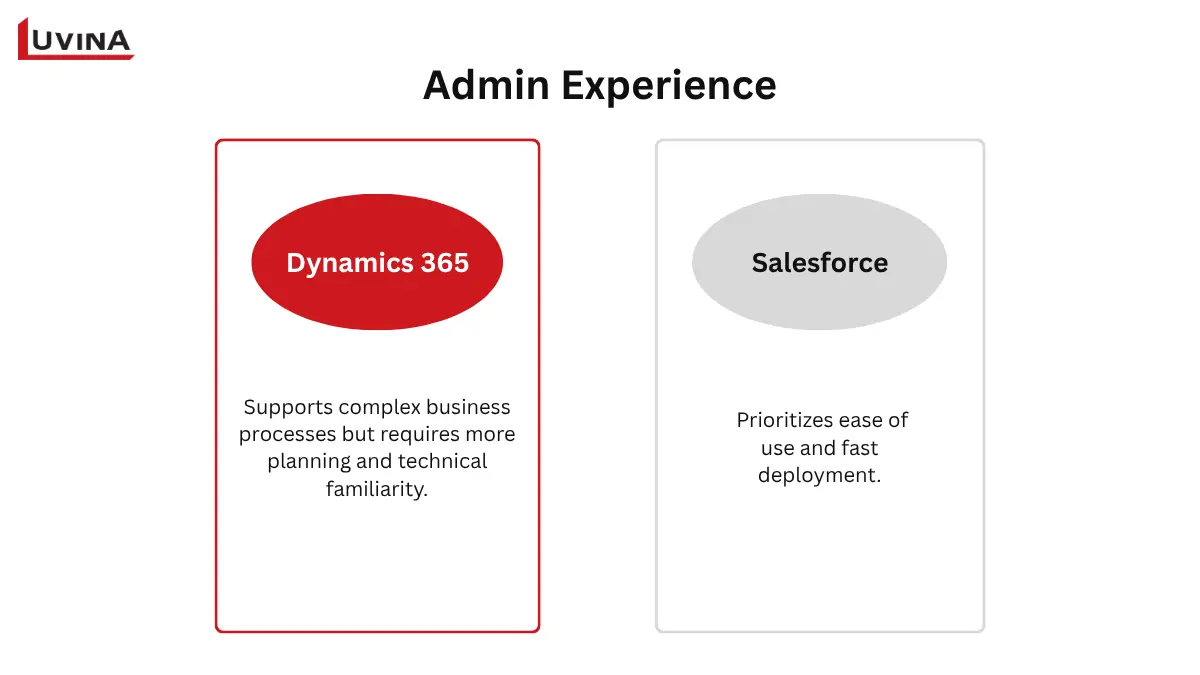
– Dynamics 365 offers a deeply integrated environment that works best within the Microsoft ecosystem, supporting complex business processes but requiring more planning and technical familiarity.
– Salesforce prioritizes ease of use and fast deployment. Its declarative tools make it easier for admins to configure and launch quickly, though reliance on third-party apps can increase complexity over time.
In any Dynamics 365 vs Salesforce evaluation, the better choice depends on whether an organization values tight ecosystem integration and centralized control, or flexibility and speed in CRM management.
Which Is Better? Industry & Business Size Recommendations
The Dynamics 365 vs Salesforce decision often comes down to your existing technology stack, deployment preferences, and how much flexibility or integration your organization needs.
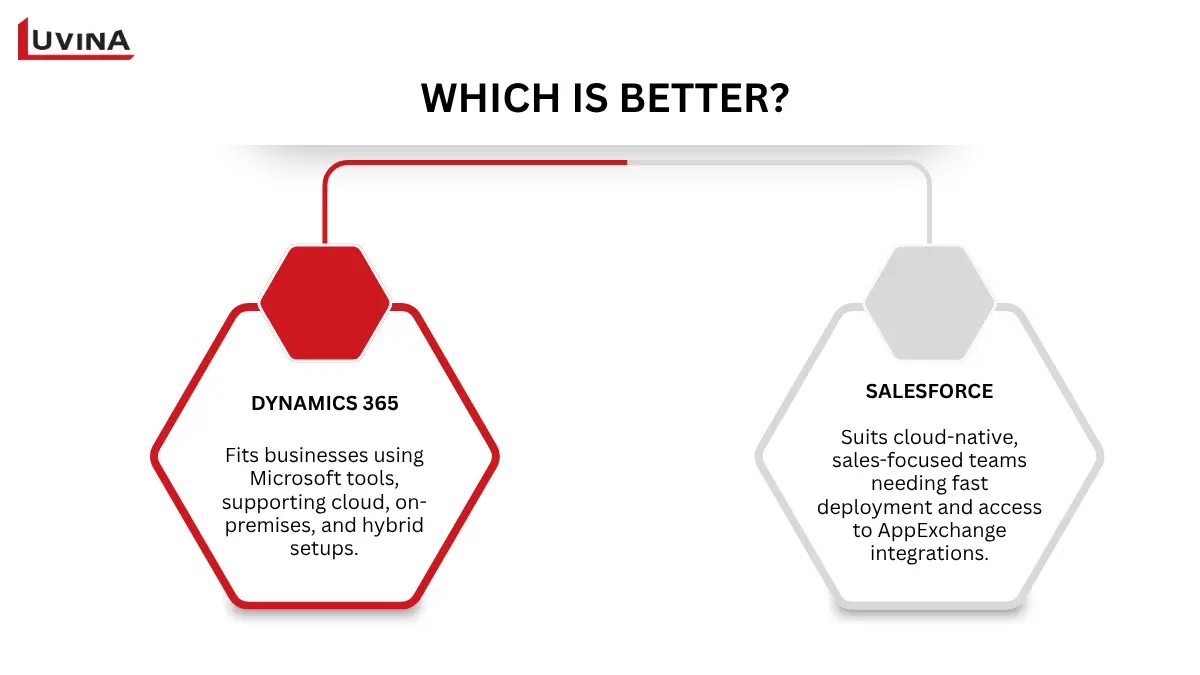
Each platform is suited to a specific type of user
Dynamics 365 is a strong fit for businesses already using Microsoft tools like Microsoft 365, Outlook, or Teams, as it enables seamless data flow and collaboration. It also supports cloud, on-premises, and hybrid deployments, making it suitable for organizations with specific infrastructure or regulatory requirements.
Salesforce is ideal for companies that prefer a cloud-native solution with fast deployment and access to a large ecosystem of third-party integrations through AppExchange. It is particularly effective for sales-driven teams that need quick customization and scalability.
To better understand how the choice plays out across different business contexts, here is a breakdown by company size and industry, helping you translate the Dynamics 365 vs Salesforce comparison into real-world scenarios.
Best for Large Enterprises
For large organizations with complex operations, Dynamics 365 is often preferred in industries such as manufacturing, financial services, and the public sector, where integration between CRM and ERP systems is critical. Its ability to connect with finance, operations, and supply chain tools creates a unified business platform.
Salesforce, however, is a strong choice for large enterprises in technology, financial services, and consumer brands that prioritize customer engagement, sales automation, and scalable cloud infrastructure. Its ecosystem allows enterprises to extend functionality across multiple business units.
Best for Mid-Market Companies
Mid-sized companies often choose Dynamics 365 when they need a balance between CRM and operational systems. Solutions like Business Central combined with CRM modules are particularly useful for businesses with operational complexity.
Salesforce is typically a better fit for growth-stage companies that are sales-led and need to scale quickly. Its flexible setup and strong automation tools support rapid expansion without heavy upfront structuring.
Best for Small Business
For small businesses, Dynamics 365 (especially Business Central) provides an integrated ERP and CRM solution, which is useful for companies looking to manage operations and customer relationships in one place.
Salesforce offers entry-level options like the Starter suite, allowing smaller teams to adopt CRM capabilities quickly with lower initial complexity and a faster learning curve.
Best by Industry
From an industry lens, the Dynamics 365 vs Salesforce comparison becomes more practical, as each platform shows clear strengths depending on the business context. The table below highlights which platform is generally a better fit based on these factors.
| Industry | Recommended Platform | Reason |
|---|---|---|
| Manufacturing | Dynamics 365 | ERP+CRM integration |
| Retail / eCommerce | Salesforce | Commerce Cloud depth |
| Financial Services | Either | Both have strong offerings |
| Healthcare | Dynamics 365 | Azure HIPAA compliance |
| Technology / SaaS | Salesforce | AppExchange ecosystem |
| Professional Services | Dynamics 365 | Business Central + project Operations |
Platform recommendations by industry
Can Dynamics 365 Replace Salesforce? (Migration Considerations)
Yes, Microsoft Dynamics 365 can replace Salesforce, and it is increasingly considered a strong alternative for organizations looking to optimize costs. In many real-world cases, the shift highlighted in Dynamics 365 vs Salesforce decisions happens when businesses want tighter alignment with Microsoft 365, Azure, and Power Platform, enabling more connected workflows and simplified system management.
However, replacing Salesforce is not a simple “lift-and-shift.” The two platforms differ in data structures, customization approaches (such as Apex in Salesforce), and workflow design. This means migration requires careful planning, technical alignment, and organizational readiness. When evaluating Dynamics 365 vs Salesforce from a migration perspective, success depends less on the platform itself and more on how well the transition is executed.
Migration considerations
– Clean and remove duplicate or outdated data before migration
– Map Salesforce data carefully to the Dataverse structure
– Rebuild custom logic from Apex into Dynamics 365 tools
– Test the system thoroughly to ensure data accuracy
– Train users early to support smooth adoption
– Consider working with ERP implementation services providers to reduce risks and ensure proper setup
– Review and adjust integrations with existing systems
– Monitor performance after migration and fix issues quickly
A well-planned migration can help organizations not only replace Salesforce but also improve efficiency, streamline operations, and unlock more value from a unified business platform.
Pros and Cons Summary
Understanding the trade-offs of Dynamics 365 vs Salesforce can help organizations choose the solution that best fits their size, industry, and technology ecosystem.
Microsoft Dynamics 365 – Pros and Cons
Below is a concise overview of the main benefits and drawbacks of Microsoft Dynamics 365
| Pros | Cons |
| Comprehensive suite of applications integrating CRM + ERP | Higher cost for setup, customization, and subscriptions |
| Strong customization and low-code flexibility via Power Platform | Steeper learning curve for new users |
| Scalable for small to large enterprises | Complex customizations may require expert developers |
| Cloud-based accessibility from anywhere | Performance may slow with large datasets or a weak internet connection |
| Enhanced collaboration via Teams and Office 365 | Integration with non-Microsoft tools can require extra effort |
| Advanced analytics and AI capabilities with Power BI | Documentation and support can be overwhelming |
Pros and cons of Microsoft Dynamics 365
Salesforce – Pros and Cons
Salesforce’s pros and cons include:
| Pros | Cons |
| Fully cloud-native, accessible from anywhere | High licensing and maintenance costs |
| Extensive online training and Trailhead resources | Steep learning curve for self-learners |
| Easy-to-use sales processes and a ready-to-use setup | Some platform layouts and fields are rigid |
| High customization potential with no-code/low-code tools | Limited social media integrations and marketing automation on lower plans |
| Comprehensive suite of CRM products | Certain advanced features require additional add-ons |
| Powerful reporting and monitoring tools | Customer support is limited on cheaper plans |
Pros and cons of Salesforce
Final Verdict: Dynamics 365 vs Salesforce – Which Should You Choose?
Choosing between Microsoft Dynamics 365 and Salesforce ultimately comes down to your organization’s existing technology ecosystem, sales complexity, and long-term growth strategy. Both platforms can transform sales, marketing, and service operations, but the best choice depends on how well the CRM aligns with your business needs and team workflows. In a modern CRM platform comparison, Microsoft Dynamics 365 shines for organizations already embedded in the Microsoft ecosystem. At the same time, Salesforce offers unmatched flexibility and depth in the marketplace for companies that require highly customized CRM solutions.
Here’s a quick breakdown of which CRM may be the better fit for different organizational needs:
Dynamics 365:
– Already use Microsoft 365, Teams, Outlook
– Need native integration with ERP or business apps
– Prefer built-in AI and predictable pricing
– Value low-code customization for workflows
Choose Dynamics 365 if:
– You already use Microsoft 365 / Teams
– You need ERP + CRM integration
– You want predictable pricing
Salesforce
– Require deep customization or complex sales processes
– Want access to a large AppExchange marketplace
– Operate a cloud-first strategy with flexible integrations
– Have internal resources for ongoing system configuration
Choose Salesforce if:
– You need advanced CRM customization
– You rely on a third-party ecosystem
– You are a sales-driven organization
Still unsure which CRM fits your business?
At Luvina, we help organizations evaluate, implement, and optimize both Dynamics 365 and Salesforce based on real business requirements, not just feature comparisons.
Talk to our experts to get a tailored recommendation for your CRM strategy.
FAQ
1. What is the main difference between Dynamics 365 and Salesforce?
Dynamics 365 integrates deeply with Microsoft tools and combines CRM + ERP, while Salesforce is a cloud-native CRM with a vast AppExchange ecosystem.
2. Is Microsoft Dynamics 365 cheaper than Salesforce?
It depends on your plan and requirements, but Dynamics 365 can offer a lower total cost of ownership, especially for Microsoft-centric organizations.
3. Can Dynamics 365 replace Salesforce?
Yes, with careful planning and migration, Dynamics 365 can replace Salesforce, particularly for organizations using Microsoft 365 and Power Platform.
4. Which CRM has better AI: Dynamics 365 Copilot or Salesforce Einstein?
Salesforce Einstein excels in CRM-specific AI like lead scoring and predictive insights; Dynamics 365 Copilot shines in cross-app integration, automation, and enterprise-wide AI.
Resources
- https://www.nigelfrank.com/insights/head-to-head-microsoft-dynamics-vs-salesforce/
- https://aws.amazon.com/blogs/contact-center/salesforce-contact-center-with-amazon-connect-streamlining-omnichannel-customer-engagement/
- https://www.demandgenreport.com/industry-news/salesforce-unveils-contact-center-to-transform-customer-service/7625/
- https://erpsoftwareblog.com/2024/06/the-pros-and-cons-of-microsoft-dynamics-365/
- https://startups.co.uk/crm-software/salesforce-review/
READY TO START A PROJECT?
Our experts are eager to explore your needs.


Read More From Us?
Sign up for our newsletter
Read More From Us?
Sign up for our newsletter