




Functional and Non-Functional Testing: Definitions, Types, and Key Differences


Delivering high-quality software requires more than making every feature work as expected. According to a 2025 New Relic survey, IT outages now cost organizations a median of $76 million annually, a reminder that features that merely “work” are not enough. Applications also need to perform reliably, remain secure, and provide a smooth user experience. A comprehensive software testing strategy helps teams validate both functionality and overall software quality throughout the development lifecycle.
Simply put, functional testing verifies what the software does, while non-functional testing evaluates how well it does it. Read on to learn the key differences and testing types of functional and non-functional testing.
What Is Functional Testing in Software Testing?
Functional testing verifies whether a software application performs as specified in its functional requirements. The objective is to ensure each feature produces the expected output for a given input and supports the intended business process.
Functional testing is commonly performed using black-box techniques from the user’s perspective, though white-box and unit testing also validate functional behaviour at the code level.
Functional testing focuses on:
- Validating inputs and outputs
- Verifying business logic and workflows
- Confirming features work as expected
Each test case results in either a pass or a fail. Functional testing is performed throughout the SDLC, from unit testing during development to User Acceptance Testing (UAT) before deployment.
Types of Functional Testing
Functional testing includes several testing levels, each serving a different purpose throughout the software development lifecycle. Together, they help verify that individual components and the entire application work as expected.
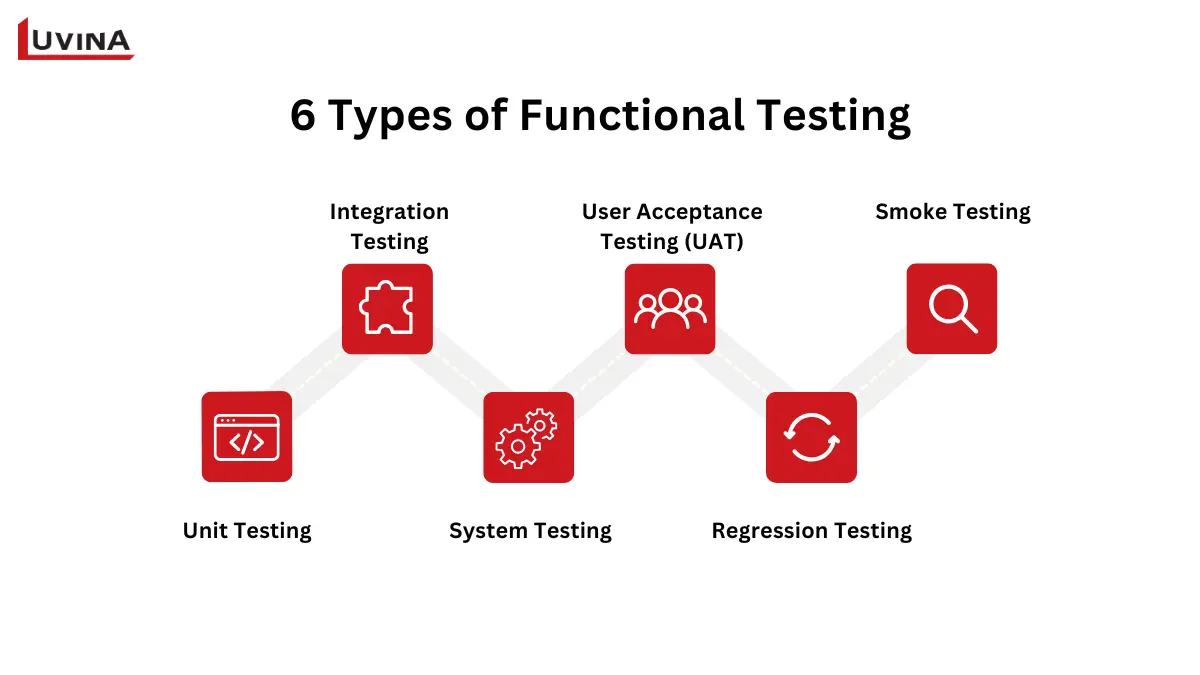
6 Types of Functional Testing Across the Software Development Lifecycle
Unit Testing
Unit testing validates the smallest piece of code, such as a function or method, in isolation. It is typically performed by developers and is often automated to catch defects early in development.
Integration Testing
Integration testing verifies that multiple modules or components work together correctly after being combined. It helps identify issues related to interfaces, data flow, and communication between different parts of the system.
System Testing
System testing evaluates the complete application against functional requirements. It validates end-to-end business workflows to ensure all integrated components work together as intended.
User Acceptance Testing (UAT)
User Acceptance Testing (UAT) is performed by end users or business stakeholders to confirm the software meets business requirements. It serves as the final validation step before the application goes live.
Regression Testing
Regression testing re-executes existing test cases after code changes, bug fixes, or new feature releases to ensure previously working functionality remains unaffected. Learn more in our Regression Testing guide.
Smoke Testing
Smoke testing performs a quick check of the application’s most critical features after a new build. If these core functions pass, the build is considered stable enough for more comprehensive testing.
Each type of functional testing targets a different stage of development, helping teams identify defects early and ensure every feature works as intended before release.
What Is Non-Functional Testing in Software Testing?
Non-functional testing evaluates how well a software application performs beyond its functional requirements. Instead of validating specific features, it assesses quality attributes such as performance, security, reliability, scalability, and usability to ensure the software meets user expectations in real-world environments.
Depending on the testing objective, non-functional testing combines black box testing techniques with specialized tools such as load testing frameworks, performance monitoring solutions, and security scanners.
Non-functional testing focuses on:
- Measuring performance and response time
- Evaluating security and system reliability
- Assessing usability, accessibility, and scalability
Unlike functional testing, non-functional testing is measured against predefined benchmarks or service level agreements (SLAs) rather than a simple pass or fail result.
It is typically performed after core functionality has been validated and is often automated within CI/CD pipelines to continuously monitor software quality. Learn more in our Non-Functional Testing guide.
Types of Non-Functional Testing
Non-functional testing covers multiple quality attributes that determine how well a software application performs under different conditions. Each testing type evaluates a specific aspect of software quality beyond functional correctness.
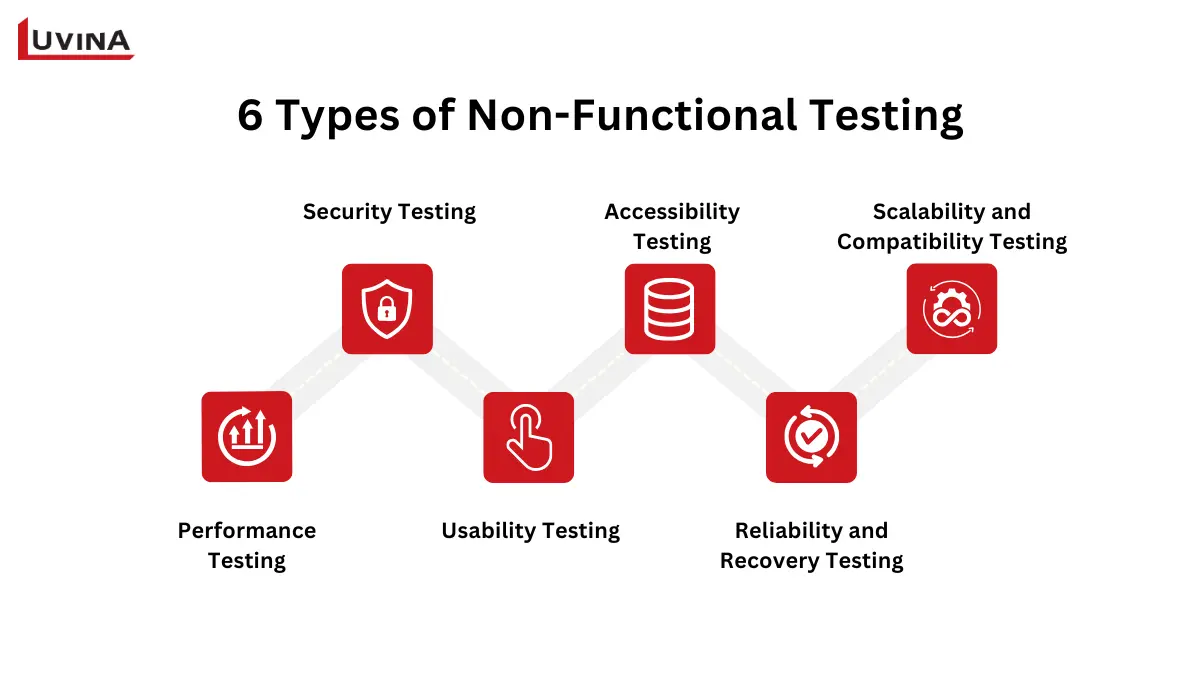
7 Types of Non-Functional Testing Across the Software Development Lifecycle
Performance Testing
Performance testing measures an application’s speed, responsiveness, and stability under expected workloads. It includes several testing methods, such as load testing to evaluate performance under anticipated user traffic and stress testing to identify the system’s breaking point under excessive demand.
Security Testing
Security testing identifies vulnerabilities that could lead to unauthorized access, data breaches, or other cyber threats. It may include vulnerability assessments, penetration testing, and compliance verification against standards such as OWASP and GDPR.
IBM’s Cost of a Data Breach Report 2025 found the global average breach cost at USD 4.4 million, reinforcing the need for security testing before production releases.
Usability Testing
Usability testing assesses how intuitive and user-friendly an application is by evaluating navigation, interface design, and the overall user experience.
Accessibility Testing
Accessibility testing verifies that software can be used by people with disabilities. It typically evaluates compliance with accessibility standards such as the Web Content Accessibility Guidelines (WCAG).
Reliability and Recovery Testing
Reliability testing verifies that an application can operate consistently over time, while recovery testing ensures it can restore normal operations after failures such as crashes or network interruptions.
Scalability and Compatibility Testing
Scalability testing measures how well an application handles increasing workloads, while compatibility testing confirms that it functions correctly across different browsers, operating systems, devices, and platforms.
Together, these testing types help ensure software not only works correctly but also delivers the performance, security, and reliability required for production environments.
Types of Functional and Non-Functional Testing: Combined Reference Table
The following table provides a quick overview of the most common types of functional and non-functional testing. It highlights what each testing type validates, when it is typically performed, and a practical example of its use.
| Testing Type | Category | What It Tests | When Performed | Example |
| User Acceptance Testing (UAT) | Functional | Business requirements | Before production release | Business users confirm all required workflows are complete |
| Regression Testing | Functional | Existing functionality after code changes | After updates or bug fixes | Ensure a new feature does not break the login process |
| Smoke Testing | Functional | Critical application functions | After each new build | Verify users can log in and access the homepage |
| Performance Testing | Non Functional | Response time, throughput, and stability | Before release and during optimization | Measure API response time under normal traffic |
| Load Testing | Non Functional | Performance under expected workloads | Before production | Simulate 5,000 concurrent users |
| Stress Testing | Non Functional | System behavior beyond capacity | Performance validation | Identify the point where the application fails |
| Security Testing | Non Functional | Vulnerabilities and security risks | Throughout development and before release | Detect SQL injection vulnerabilities |
| Usability Testing | Non Functional | Ease of use and user experience | Before product launch | Observe users completing a registration process |
| Accessibility Testing | Non Functional | Compliance with accessibility standards | During UI validation | Verify keyboard navigation and screen reader support |
| Reliability Testing | Non Functional | System stability over time | During quality assurance | Run the application continuously for 72 hours |
| Scalability Testing | Non Functional | Ability to handle increasing demand | Before scaling infrastructure | Increase traffic gradually to evaluate system capacity |
Functional and Non-Functional Testing Types Comparison
This reference table shows that every testing type addresses a different aspect of software quality. Combining functional and non-functional testing enables teams to validate both feature correctness and overall system quality before deployment.
Functional Testing vs. Non-Functional Testing: Key Differences
Although both testing approaches are essential to software quality, they serve different purposes. Functional testing verifies that features work as expected, while non-functional testing evaluates whether the application delivers the performance, security, and reliability required for production use.
| Criteria | Functional Testing | Non-Functional Testing |
| Goal | Verify software functions correctly | Evaluate software quality and performance |
| Focus | Features, business logic, inputs, and outputs | Performance, security, usability, reliability, scalability |
| Testing Approach | Primarily black box testing | Black box testing combined with specialized testing tools |
| Timing in SDLC | Throughout development, from unit testing to UAT | Typically after core functionality is validated and during performance or release testing |
| Pass/Fail Criteria | Pass or fail based on expected results | Measured against predefined benchmarks or SLAs |
| Example | Verify users can complete a checkout process | Verify the checkout process supports 1,000 concurrent users |
| Primary Testers | Developers, QA engineers, and end users (UAT) | QA engineers, performance engineers, and security specialists |
| Automation Level | Commonly automated, with some manual testing | Highly automated using performance and security testing tools |
A comparison of functional testing and non-functional testing across key quality assurance criteria
The two testing approaches complement rather than replace each other. Functional testing ensures the software behaves correctly, while non-functional testing confirms it performs reliably in real-world conditions.
Even a fast and secure application will fail to satisfy users if its core features do not work as expected. Likewise, software with correct functionality can still deliver a poor user experience if it suffers from slow performance, security vulnerabilities, or reliability issues.
How Functional and Non-Functional Testing Work Together
Functional and non-functional testing play distinct but equally important roles throughout the software development lifecycle. Their effectiveness also depends on choosing the right software development methodology, as testing activities are planned and executed differently in Agile, DevOps, and Waterfall projects. Combining both approaches helps deliver software that is functionally correct and production-ready.
How They Fit into the Development Process
| Stage | Functional Testing | Non-Functional Testing |
| Development | Validate individual features through unit and integration testing | Limited performance or security checks when needed |
| Build & Integration | Verify core functionality after each code change | Run automated quality scans if configured |
| Pre Release | Complete system testing and UAT | Execute performance, security, reliability, and scalability testing |
| Production Readiness | Confirm all functional requirements are met | Verify the application meets quality benchmarks and SLAs |
How functional and non-functional testing complement each other throughout the SDLC
Best Practices
- Perform functional testing first to ensure core features work correctly before evaluating software quality.
- Integrate functional tests into the CI/CD commit pipeline to detect defects early.
- Run non-functional tests before major releases or on a scheduled basis to validate performance, security, and reliability.
- Only consider a release production-ready when it passes both functional and non-functional testing.
Example from Enterprise Software Development
One example comes from Luvina’s long-term software testing project for a leading Japanese technology company developing enterprise internet security solutions, including identity management, access control, and endpoint security products. Because these products required frequent version upgrades and operating system updates, every release followed a structured testing process to ensure both functional correctness and software quality.
Functional testing
- Unit Testing (UT) to validate individual functions and business logic.
- Integration Testing (IT) to verify interactions between security modules and system components.
- System Testing (ST) to confirm authentication, access control, and policy management worked correctly across multiple environments.
Non-functional testing
- Compatibility testing across different Windows versions, devices, and virtual environments.
- Reliability testing after operating system updates and repeated regression cycles.
- Performance validation to ensure stable operation before each product release.
By combining both testing approaches throughout the release cycle, Luvina helped the customer deliver frequent product updates while maintaining high quality and meeting strict release schedules. As the project grew from 3 to more than 50 QA engineers, the team was also able to scale testing across multiple security products without compromising consistency or quality.
To see how this project was delivered, read our Software Testing Case Study.
FAQs
1. What is the difference between functional and non-functional testing?
Functional testing verifies that software features work as expected. Non-functional testing evaluates quality attributes such as performance, security, reliability, and usability. In short, one checks what the software does, while the other measures how well it does it.
2. What are the types of functional testing?
The main types of functional testing are unit testing, integration testing, system testing, User Acceptance Testing (UAT), regression testing, and smoke testing.
3. What are the types of non-functional testing?
The main types of non-functional testing include performance, load, stress, security, usability, accessibility, reliability, recovery, scalability, and compatibility testing.
4. Why are both functional and non-functional testing needed?
Functional testing ensures software works correctly, while non-functional testing confirms it meets quality expectations. Both are essential for delivering reliable, production-ready software.
5. When is functional testing performed vs non-functional testing?
Functional testing is performed throughout the SDLC, from unit testing to UAT. Non-functional testing is typically conducted after core functionality is validated to assess performance, security, and other quality attributes.
Conclusion
Functional and non-functional testing are complementary, not competing, approaches. Functional testing confirms that software behaves according to business requirements, while non-functional testing validates whether it can deliver that functionality with the required levels of performance, security, reliability, and usability. Organizations that integrate both testing strategies throughout the SDLC are better equipped to reduce production risks, accelerate release cycles, and deliver software that performs reliably under real-world conditions.
Looking for a trusted software testing partner? Contact Luvina to discover how our software testing services can help you deliver reliable, high-quality software.
Resources
- https://www.ciodive.com/news/IT-outages-cost-new-relic/760575/
- https://www.ibm.com/reports/data-breach
- https://www.atlassian.com/continuous-delivery/software-testing
READY TO START A PROJECT?
Our experts are eager to explore your needs.

Read More From Us?
Sign up for our newsletter
Read More From Us?
Sign up for our newsletter