




What you need to make an app: The 7 Essential Elements


If you’re wondering what you need to make an app, the answer goes far beyond coding. Successful apps require a combination of business planning, technical expertise, design, and testing.
Here are the 7 essential things to consider when developing an app, and only half of those are technical:
- A validated app idea and clear requirements to solve a real user problem.
- The right development team with the skills needed to design, build, and launch the product.
- A suitable tech stack that supports your features, performance, and scalability goals.
- Development tools and software for coding, collaboration, testing, and deployment.
- A realistic budget that covers development, infrastructure, maintenance, and future updates.
- UX and UI design that delivers a seamless and user-friendly experience.
- A testing and launch plan to ensure quality and support a successful release.
Notice it was “UX and UI” rather than the commonly used “UX/UI”? It would be explained in that part of this article.
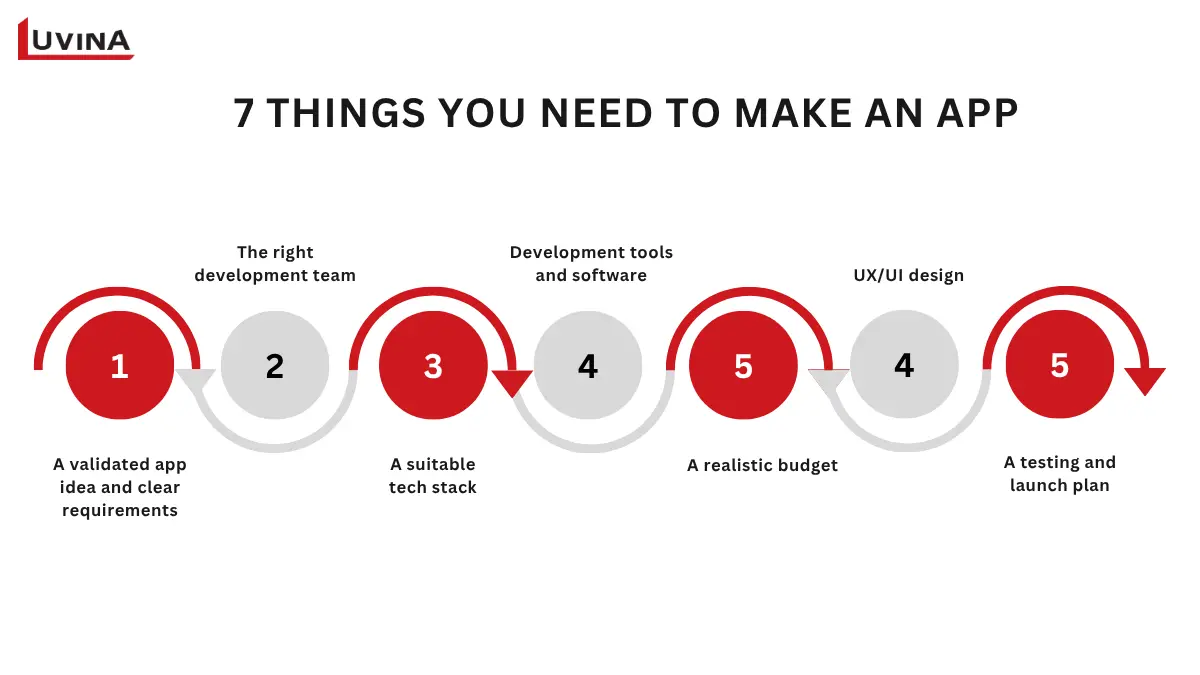
The quick answer: 7 key things you need to make an app
Whether you’re building a startup MVP, an enterprise application, or a customer-facing mobile app, these seven foundations will significantly impact your project’s success.
1. A Validated App Idea and Clear Requirements
One of the first answers to what you need to make an app is a validated idea. Before investing in development, you need to confirm that your app solves a real problem and addresses a genuine market need.
Once your idea is validated, the next step is defining clear requirements and choosing the right development approach based on software development methodologies. Requirements help align stakeholders, designers, and developers around a shared vision and reduce costly changes later in the project.
App requirements generally fall into two categories: functional requirements and non-functional requirements.
| Requirement Type | Description | Examples |
|---|---|---|
| Functional Requirements | Define what the app does and the features users interact with directly. | – User registration and login – Search functionality – Online payments – Push notifications – User profile management – In-app messaging |
| Non-Functional Requirements | Define how the app performs and the quality standards it must meet. | – Fast loading times – Data security and privacy protection – Scalability for growing user traffic – High availability and reliability – Offline functionality – Compliance with industry regulations |
Functional vs. Non-Functional Requirements in App Development
Both types of requirements are equally important. A feature-rich app can still fail if it suffers from poor performance, weak security, or limited scalability.
2. The Right Team to Build Your App
Even the best idea can fail without the expertise required to turn it into a reliable and scalable product.
Building an application involves much more than writing code. It requires planning, design, development, testing, deployment, and ongoing maintenance. Each stage depends on specialists with different skills working toward the same goal.
Core Roles in an App Development Team
The exact team structure may vary depending on project size and complexity, but most successful app projects include the following roles
| Role | Key Responsibilities |
|---|---|
| Product Manager | Defines product vision, prioritizes features, manages requirements, and aligns business goals with development efforts. |
| UX and UI Designer | Designs user journeys, wireframes, prototypes, and visual interfaces to ensure a seamless user experience. |
| Frontend Developer | Builds the user-facing interface and ensures smooth interactions across devices and platforms. |
| Backend Developer | Develops server-side logic, databases, APIs, security mechanisms, and system integrations. |
| Mobile Developer | Creates native or cross-platform mobile applications for iOS and Android devices. |
| QA Engineer | Tests the application, identifies defects, and verifies that features work as expected. |
| DevOps Engineer | Manages cloud infrastructure, CI/CD pipelines, deployments, monitoring, and system reliability. |
Core Roles in an App Development Team
In-House vs. Outsourcing vs. App Agency
| Factor | In-House Team | Outsourcing Partner | App Development Agency |
|---|---|---|---|
| Cost | Highest | Lower | Medium to High |
| Hiring Speed | Slow | Fast | Fast |
| Technical Expertise | Depends on hires | Access to a broader talent pool | Access to specialized teams |
| Scalability | Limited by internal resources | Flexible | Flexible |
| Management Control | Highest | Shared responsibility | Shared responsibility |
| Best for | Long-term product teams | Businesses seeking cost efficiency and flexibility | Companies looking for end-to-end delivery |
In-House vs. Outsourcing vs. App Agency
There is no one-size-fits-all approach. The right choice depends on your budget, timeline, internal capabilities, and long-term product strategy.
Many modern teams also adopt structured development approaches such as agile methodology to improve collaboration, flexibility, and delivery speed.
What About Vibe Coding?
Can AI coding tools help build an app from scratch to a completed product?
AI tools can now generate code from simple prompts, a trend often called vibe coding. Vibe coding is a new and loosely defined term in app development that refers to the practice of prompting AI tools to generate code rather than writing code manually.
While this can speed up prototyping, it is not a substitute for a professional development team or a complete understanding of what you need to make an app in real-world projects.
Without experienced developers, projects often face:
- Security vulnerabilities
- Poor system architecture
- Performance issues
- Scalability challenges
- Technical debt
Vibe coding can work for simple prototypes or MVPs. However, building a successful product requires more than generating working code. Product strategy, architecture design, feature prioritization, scalability planning, and long-term product evolution still depend heavily on human expertise. Organizations building commercial applications and enterprise systems still need experienced professionals to ensure quality, security, and long-term scalability.
3. Choosing Your Tech Stack
Your tech stack affects development costs, performance, scalability, maintenance, and time to market.
The best option depends on your business goals, budget, target users, and required features.
Native vs. Cross-Platform vs. Web App
There is no single technology approach that works for every project. Each option offers different benefits and trade-offs.
| Approach | Technologies | Advantages | Limitations | Best For |
|---|---|---|---|---|
| Native App | Swift / Xcode for iOS, Kotlin / Android Studio for Android | – Best performance – Full access to device features – Excellent user experience | – Highest development cost – Separate codebases for iOS and Android | High-performance consumer apps and enterprise applications |
| Cross-Platform App | React Native, Flutter | – Single codebase – Faster development – Lower maintenance effort | May require native code for advanced features | Startups, MVPs, and businesses targeting both platforms |
| Progressive Web App (PWA) | Web technologies such as HTML, CSS, and JavaScript | – Lowest development cost – Fast deployment – Easy updates | – Limited access to device capabilities – Lower app store visibility | Simple applications, internal tools, and early-stage MVPs |
Key Differences Between Native, Cross-Platform, and PWA Development
Cross-platform development has become increasingly popular because it allows businesses to launch on both iOS and Android using a single codebase, which you need to make an app. In many projects, this approach can reduce development costs compared to building two separate native applications.
Backend and Infrastructure
The frontend is only one part of an application. Most modern apps also require backend services, databases, cloud infrastructure, and APIs to support business operations.
| Category | Popular Technologies | Purpose |
|---|---|---|
| Backend Frameworks | Node.js, Django, FastAPI, Ruby on Rails | Handle business logic, user authentication, and server-side processing |
| Relational Databases | PostgreSQL, MySQL | Store structured data and support complex relationships |
| NoSQL Databases | MongoDB, Firestore | Manage flexible and rapidly changing data structures |
| Cloud Providers | AWS, Google Cloud, Microsoft Azure | Provide hosting, storage, security, and scalability |
| APIs | REST, GraphQL | Enable communication between applications and services |
Core Infrastructure Technologies for App Development
Choosing a tech stack is not about selecting the newest technologies. It is about finding the right combination of tools, including backend systems, infrastructure, and a suitable software framework, that support your business objectives, user expectations, and future growth plans when deciding what you need to make an app.
4. Development Tools and Software
Building an app requires more than a programming language or framework. Teams also need tools to design interfaces, write code, manage projects, test functionality, and deploy applications efficiently. Together, these tools form the foundation of a modern development workflow and answer a common question: what you need to make an app, and what software do I need to build an app?
| Category | Popular Tools | Purpose |
|---|---|---|
| Design & Prototyping | Figma, Adobe XD | Create wireframes, prototypes, and UI designs |
| Code Editors & IDEs | Visual Studio Code, Xcode, Android Studio | Develop and debug applications |
| Version Control | GitHub, GitLab | Manage source code and team collaboration |
| Project Management | Jira, Trello | Track tasks, requirements, and project progress |
| Testing Tools | Selenium, Appium, Playwright, Jest, Cypress/Detox | Automate and manage software testing |
| Cloud & Deployment | AWS, Google Cloud, Microsoft Azure | Host, deploy, and scale applications |
Essential Software for App Development
The right tools can improve productivity, streamline collaboration, and reduce development risks. However, tools alone do not guarantee success. A clear process and an experienced team remain the most important factors in delivering a high-quality application.
5. Budget and Timeline Planning
Budget and timeline are two of the biggest factors in any app development project and are often the starting point when evaluating what you need to make an app. The final cost depends on the app’s complexity, feature set, technology stack, and development team. More advanced requirements typically lead to higher costs and longer development timelines.
Types of Costs
The costs to develop an app are not just for technical stuffs. A typical project includes several cost categories throughout the product lifecycle.
- Planning & Discovery: Market research, business analysis, requirement gathering, product roadmap definition, and technical feasibility assessment
- UX and UI Design: User flows, wireframes, prototypes, visual design, and design system creation
- Development: Frontend, backend, mobile app development, API integration, and core feature implementation
- Testing & QA: Functional testing, performance testing, security testing, bug fixing, and quality assurance activities
- Infrastructure: Cloud hosting, databases, storage, monitoring tools, and third-party services
- Launch & Distribution: App Store and Google Play submission, deployment activities, and release preparation
- Apple Developer Program: USD 99 per year for publishing apps on the App Store
- Google Play Console: USD 25 one-time registration fee
- Enterprise Distribution: Additional costs may apply depending on enterprise deployment requirements
- Third-Party Services: Payment gateways, SMS services, analytics tools, authentication services, and other external integrations often involve monthly or usage-based fees
- Maintenance & Support: Security updates, bug fixes, feature enhancements, and ongoing technical support
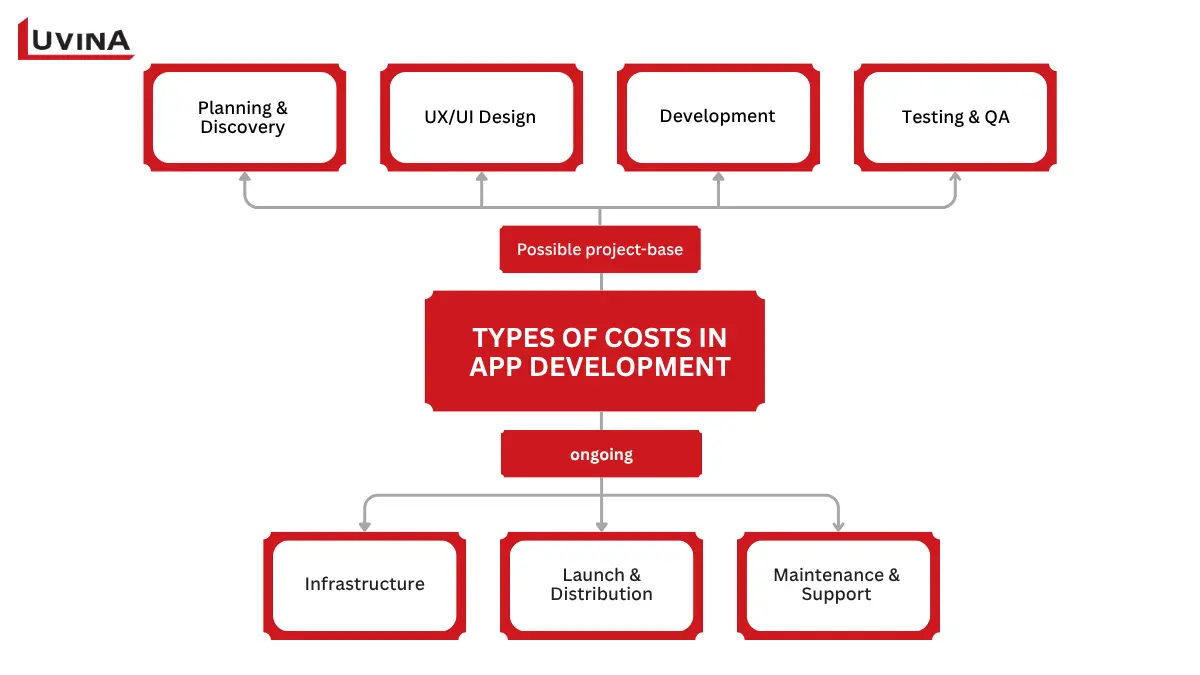
Key cost components in app development
The more complex the application, the greater the investment required in development, testing, and ongoing support.
Hidden Costs
Many businesses underestimate the long-term costs of app ownership. While development is often the largest expense, it is rarely the last one.
| Hidden Cost | Description |
|---|---|
| Maintenance | Regular updates to keep the app stable and secure |
| Cloud Infrastructure | Ongoing hosting, storage, and bandwidth costs |
| Third-Party Services | Payment gateways, analytics tools, messaging services, and APIs |
| Security & Compliance | Security audits, monitoring, and regulatory compliance requirements |
| App Updates | New features, OS compatibility updates, and performance improvements |
| Technical Debt | Additional work caused by rushed development decisions |
Common Hidden Costs in App Development
Many organizations allocate 15% to 25% of the original development cost annually for maintenance and improvements. You can learn more about long-term support requirements in our guide to Software maintenance
A realistic budget should account for both initial development and ongoing operational costs when planning what you need to make an app. This approach helps ensure your application remains secure, reliable, and competitive after launch.
Many businesses start with a Minimum Viable Product (MVP) instead of building a full-featured application from day one.
An MVP helps validate assumptions, collect user feedback, reduce development costs, and shorten time to market.
6. UX and UI Design
UX and UI designs are not optional. They play direct roles in user retention and product success. Nobody wants to go back to an app with a bad first experience.
Here is why it should always be UX & UI instead of UX/UI.
- UI stands for “user interface”: this is what users see when using your app, what they would use to control it and make use of its features. For example: visual, theme, buttons, menus,…
- UX or “user experience” is much more complicated. UX is about how users feel while using your app. Is it easy to use certain features? Can they find what they want with ease? Even after leaving the app, are the notifications actually useful or just distracting?
So basically, UX has to be designed first, then UI comes to meet the requirements from UX. This is one of the most often missed steps in app development. Some app makers would even jump straight into UI, come back to fix the flow later, and of course, create a mess of never-to-use-yet-never-to-be-cleaned code in the process.
Before choosing colors, icons, or typography, teams should first define how users will navigate through the application.
Start with User Flows and Wireframes
Before designing screens, map out the user journey and key interactions. User flows and wireframes help teams validate ideas, identify usability issues, and align stakeholders before development begins.
Prototype Before You Code
Creating a clickable prototype allows teams to test concepts with real users before investing in development when exploring what you need to make an app. Tools such as Figma make it easier to gather feedback and refine the experience early in the process.
Core Mobile UX Principles
Effective mobile apps typically follow a few fundamental UX principles:
- Thumb-friendly navigation
- Touch targets of at least 44 × 44 pt
- Clear loading and progress feedback
- Consistent navigation patterns
- Minimal friction for key user actions
Build a Design System
A design system helps maintain consistency across screens, features, and future releases.
Benefits include:
- Consistent user experience
- Faster design and development
- Easier maintenance and updates
- Better collaboration between teams
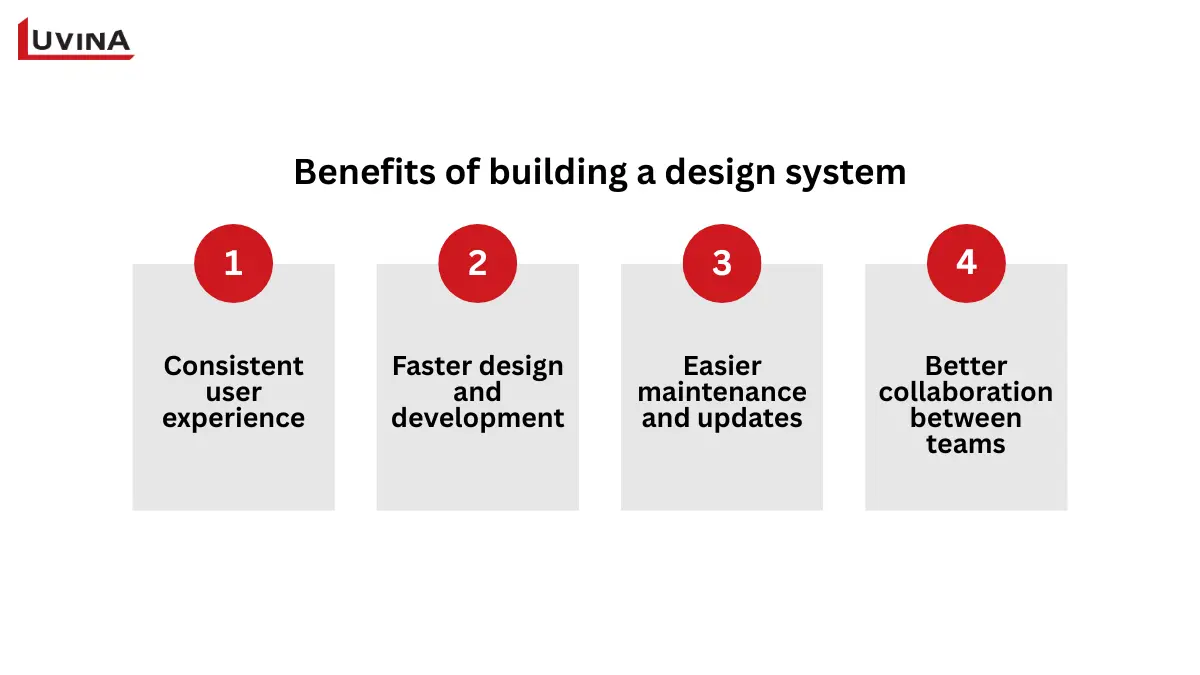
Key benefits of building a design system
Strong UX and UI design reduces user frustration, increases engagement, and improves the overall success of your application.
7. Testing and Launch Plan
Building is only one part of the whole process when understanding what you need to make an app. Before release, you need a structured testing and launch plan to ensure the app performs as expected and reaches its target audience successfully.
Types of Testing Required
Testing helps identify issues before they impact users and reduces the risk of costly fixes after launch.
- Functional Testing: Verify that features work as intended
- Usability Testing: Evaluate the user experience and ease of use
- Performance Testing: Measure speed, responsiveness, and stability
- Security Testing: Identify vulnerabilities and data protection risks
- Compatibility Testing: Ensure the app works across different devices, operating systems, and screen sizes
- Regression Testing: Confirm that new updates do not break existing features
Thorough testing improves product quality and helps deliver a better user experience from day one.
Modern applications should incorporate security from the beginning rather than treating it as a final checkpoint.
Security testing, data protection, authentication mechanisms, and compliance requirements should be addressed throughout the development lifecycle to reduce risks and protect user data.
App Store Submission
Once testing is complete, the application must be submitted to the appropriate app marketplace.
For mobile apps, this typically includes:
- Preparing app store assets such as screenshots and descriptions
- Meeting platform guidelines and review requirements
- Configuring privacy policies and permissions
- Completing submission to the Apple App Store or Google Play Store
App review times vary depending on the platform and application requirements.
Marketing and Launch
A successful launch requires more than publishing the app when thinking about what you need to make an app. Without a launch strategy, even a well-built application can struggle to gain users.
Common launch activities include:
- Creating a landing page
- Email marketing campaigns
- Social media promotion
- App Store Optimization (ASO)
- Collecting early user feedback
- Monitoring analytics and performance after launch
Launching is only the beginning. Continuous improvements based on user feedback and performance data are essential for long-term growth.
Can You Make an App Without Coding?
Yes. No-code and low-code platforms allow individuals and businesses to build applications with little or no programming experience. They are often used for MVPs, internal tools, and rapid idea validation.
| Platform | Best For | Limitation |
|---|---|---|
| Bubble | Complex web applications | No in-app purchases built in |
| FlutterFlow | Mobile applications | Requires some logic knowledge |
| Adalo | Simple mobile apps | Limited scalability |
| Glide | Apps built from Google Sheets | Limited customization and features |
| Base44 | Building business apps with AI prompts | Less flexibility for highly customized applications |
| Lovable | Rapid MVP and startup product development | Requires developer involvement for complex production systems |
| Replit | Building and deploying applications with AI assistance | Best suited for small to medium-sized projects |
| Cursor | Developers who want AI-assisted coding | Requires programming knowledge |
| OpenAI Codex | Automating coding tasks and development workflows | Requires technical oversight and validation |
| Antigravity | AI-assisted software creation and prototyping | Still requires human review for production readiness |
Popular No-Code and Low-Code Platforms
No-code tools are a good option for validating ideas quickly or building simple solutions on a limited budget.
However, if your application requires custom features, enterprise integrations, advanced security, or long-term scalability, a professional development team is typically the better choice when defining what you need to make an app.
When to involve a professional team?
No-code platforms and AI development tools can help validate ideas and build simple applications quickly. However, as requirements become more complex, businesses often need professional expertise to ensure long-term success.
You should consider working with an experienced development team when your application requires:
- Security and compliance requirements such as user authentication, payment processing, personal data protection, or industry-specific regulations.
- Complex system integrations with CRM platforms, ERP systems, payment gateways, third-party APIs, or internal business applications.
- High performance and scalability to support growing user traffic, large data volumes, and business expansion.
- Ongoing maintenance and support, including bug fixes, security updates, feature enhancements, and operating system compatibility updates.
- Monitoring and reliability management to track performance, identify issues proactively, and maintain system availability.
While modern tools can accelerate development, building a production-ready application often requires careful planning, technical expertise, and long-term operational support. Businesses developing customer-facing or enterprise applications often need a professional team to ensure security, scalability, and long-term reliability.
FAQs
1. What do you need to make an app?
You need a validated idea, clear requirements, the right team, a suitable tech stack, development tools, a budget, UX/UI design, and a testing plan.
2. How much does it cost to make an app?
The cost depends on the app’s complexity, features, technology stack, and development team. More advanced applications generally require a larger budget.
3. Can I make an app without coding?
Yes. No-code and low-code platforms can help you build simple apps, MVPs, and internal tools without extensive programming knowledge.
4. How long does it take to build an app?
A simple MVP may take just a few day to complete. But if the app is more complex, it can take several months or even longer.
5. What programming language is best for app development?
There is no single best language. Common choices include Swift, Kotlin, JavaScript, Dart, Python, and Node.js, depending on project requirements.
6. Do i need to be technical to build a mobile app?
You don’t need to have a technical background to be a mobile app anymore. However, basic understanding of technical elements is still strongly recommended to make app that actually work.
Conclusion
Building a successful app requires far more than writing code. From validating ideas and defining requirements to choosing the right technology and planning for long-term maintenance, every decision affects the success of the product.
At Luvina Software, we help organizations transform ideas into scalable applications through consulting, UX and UI design, software development, testing, and long-term support. By combining Japanese-standard quality, strong security practices, and AI-assisted development, we help businesses accelerate delivery while maintaining reliability and long-term scalability.
If you are planning to build a mobile or web application, Luvina can support you with end-to-end software development services.
Resources
- https://developer.mozilla.org/en-US/docs/Glossary/REST
- https://azure.microsoft.com/en-us/resources/cloud-computing-dictionary/what-is-azure/
- https://www.sweor.com/firstimpressions
- https://www.gartner.com/en/information-technology
- https://www.ibm.com/think/topics/vibe-coding
READY TO START A PROJECT?
Our experts are eager to explore your needs.

Read More From Us?
Sign up for our newsletter
Read More From Us?
Sign up for our newsletter