




Regression Testing in Software Testing: Definition, Types, and Tools


Every code change can introduce unexpected issues. Regression testing helps teams verify that existing features continue to work after bug fixes, new features, or code refactoring. As part of the software testing life cycle, it reduces the risk of defects being released into production.
A large proportion of software defects are caused by code changes that unintentionally affect existing functionality. This is why regression testing has become a standard practice in modern software development, helping teams identify issues early before they reach production.
What Is Regression Testing in Software Testing?
According to the ISTQB Glossary:
Regression testing in software testing involves re-running previously executed test cases after code changes. The goal is to confirm that existing functionality has not been unintentionally affected.
Regression testing is a core quality assurance practice throughout the software development lifecycle. Every time code changes are introduced, teams rerun existing test cases to verify that previously working functionality continues to behave as expected. This makes regression testing an essential part of maintaining application stability as products evolve.
Regression testing is a standard practice in modern software engineering. Teams run it throughout Agile development, CI/CD pipelines, and release cycles. It supports continuous testing instead of being left until the final stage before deployment.
Regression tests are typically managed by QA engineers and executed automatically after code commits, pull requests, or new builds to detect issues as early as possible.
Unlike functional testing, which validates new features, regression testing focuses on protecting existing functionality from unintended side effects caused by code changes.
Purpose of Regression Testing
The primary purpose of regression testing is to ensure that code changes do not introduce unexpected issues into existing functionality. Whether the change involves a bug fix, a new feature, or code refactoring, regression testing provides confidence that the application continues to behave as expected.
Key objectives of regression testing include:
- Verify that bug fixes do not introduce new defects in other parts of the application.
- Confirm that code refactoring has not changed existing behavior or business logic.
- Validate that newly added features do not affect previously working functionality.
- Ensure the application continues to meet acceptance criteria after every release.
- Reduce the cost of software defects by identifying issues during testing instead of after deployment. Defects found later in the software development lifecycle are significantly more expensive to fix than those detected earlier.
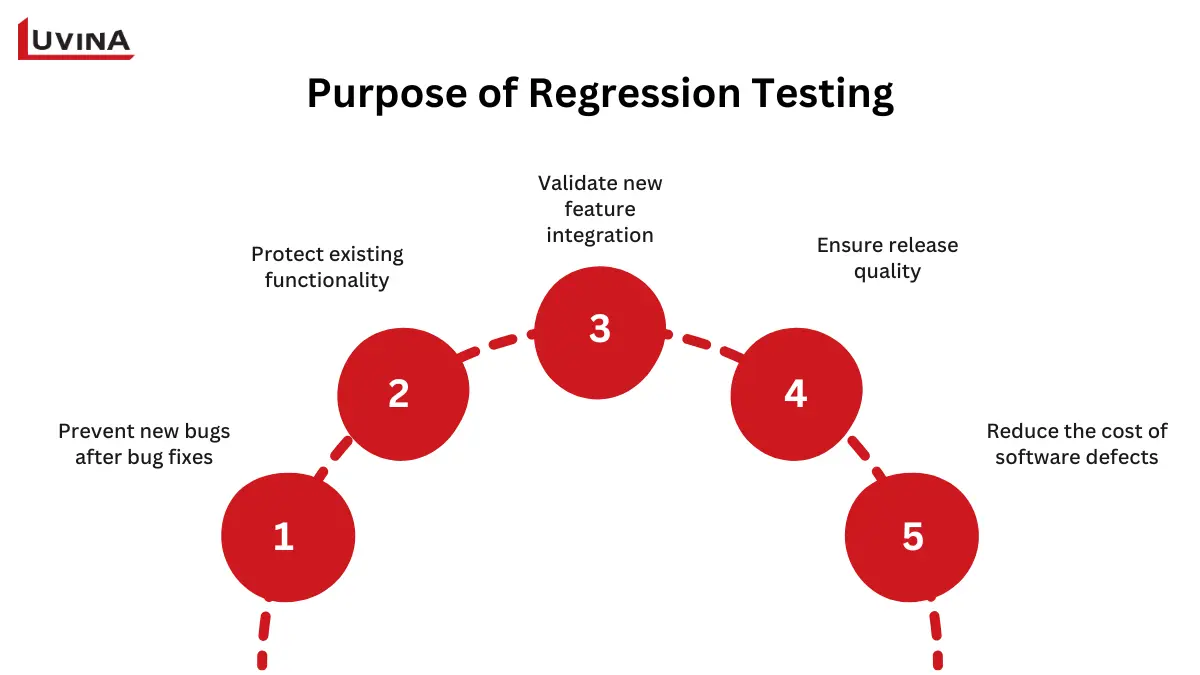
The five primary objectives of regression testing
Beyond improving software quality, regression testing also delivers measurable business value:
- For product managers: Reduce release risks and deliver new features with greater confidence.
- For startups: Release updates faster while maintaining product stability and user experience.
- For enterprises: Minimize production issues, improve software reliability, and reduce long-term maintenance costs.
Together, these benefits make regression testing an essential safeguard for every software release.
Types of Regression Testing
The right type of regression testing depends on the scope of code changes, release timelines, and project requirements. Choosing the appropriate approach helps teams balance test coverage, execution time, and development efficiency.
The appropriate regression testing approach depends on the size of the code change, release frequency, and available testing resources.
| Type | What it does | Best used when | Key consideration |
|---|---|---|---|
| Complete Regression Testing | Re-runs the entire regression test suite to verify the whole application | Major code changes, system upgrades, or full version releases | Provides the highest test coverage but is the most time-consuming |
| Partial (Selective) Regression Testing | Executes only the test cases related to modified modules | Bug fixes or minor feature updates | Requires good traceability between code changes and test cases |
| Progressive Regression Testing | Combines newly written test cases with the existing regression suite | New features are added to an existing product | Ensures new functionality works without affecting existing features |
| Visual Regression Testing | Compares UI screenshots before and after changes | UI redesigns, CSS updates, or frontend releases | Detects layout shifts, styling issues, and rendering inconsistencies. Popular visual regression testing tools include Percy, Applitools, and BackstopJS. |
| Unit Regression Testing | Tests individual code units after modifications | During development or after code refactoring | Fastest type of regression testing and commonly used in TDD workflows |
Comparison of Different Types of Regression Testing
In practice, QA teams often combine multiple regression testing types. For example, unit regression tests run during development, selective regression tests validate minor updates, while complete regression testing is reserved for major releases.
Regression Testing vs. Retesting: Key Differences
Although regression testing and retesting are often performed after code changes, they serve different purposes. Retesting verifies that a reported defect has been fixed, while regression testing ensures the fix has not introduced new issues elsewhere in the application.
| Criteria | Regression Testing | Retesting |
|---|---|---|
| Purpose | Verify that code changes have not affected existing functionality | Confirm that a reported defect has been fixed |
| Test scope | Runs previously passed test cases across related or entire application areas | Re-executes the specific test case that previously failed |
| When performed | After bug fixes, feature updates, refactoring, or before releases | After developers fix a reported defect |
| Focus | Detect new failures caused by recent changes | Verify that the original issue no longer exists |
| Test cases | Existing regression test suite | Failed test cases associated with the defect |
| Result | Confirms the application remains stable after changes | Confirms the bug has been resolved |
Regression Testing vs. Retesting
Key takeaway: Retesting confirms the fix works. Regression testing confirms the fix did not break anything else. Most QA teams perform retesting first, followed by regression testing before approving a release.
What Are Non-Regression Tests?
Non-regression tests verify that newly developed or modified functionality works as intended. Unlike regression testing, which focuses on protecting existing features, non-regression tests validate the behavior of new code and confirm it meets the specified requirements.
Both testing approaches are essential in software development. While non-regression tests ensure new features function correctly, regression testing verifies that those changes have not affected existing functionality. In practice, a comprehensive test plan includes both to maintain software quality throughout the development lifecycle.
When to Perform Regression Testing
Regression testing should be performed whenever code changes could affect existing functionality. Common scenarios include:
- After every bug fix: Verify that the fix resolves the issue without introducing new defects in other parts of the application.
- When a new feature is added: Confirm that new functionality does not interfere with existing features or business workflows.
- After performance optimization or code refactoring: Ensure internal code improvements have not changed the application’s expected behavior.
- Before and after major releases: Validate software stability before deployment and confirm everything works as expected in the release candidate.
- As part of CI/CD pipelines: Modern development teams often automate regression testing to run after every code commit, pull request, or scheduled build, enabling faster feedback and more reliable releases.
How to Perform Regression Testing: Step-by-Step Process
A structured regression testing process helps QA teams identify issues efficiently while minimizing unnecessary test execution.
Step 1. Identify what changed
Start by analyzing the code changes and identifying the modules, features, or dependencies that may be affected. This helps define the scope of regression testing.
Step 2. Select regression test cases
Choose the appropriate test cases based on the scope of the changes. Teams may execute the entire regression suite for major releases or only a subset of relevant test cases for smaller updates.
Step 3. Execute the tests
Run the selected regression tests manually or through automated testing tools. Automated execution is typically preferred for large applications and frequent release cycles.
Step 4. Compare results against the baseline
Review the test results and compare them with previous baseline results. Any unexpected differences should be investigated to determine whether they are caused by recent code changes.
Step 5. Log defects, fix issues, and rerun tests
Document any failed test cases, assign defects to the development team, and verify the fixes through retesting. Once the issue is resolved, execute regression tests again to confirm no additional defects have been introduced.
Step 6. Maintain the regression test suite
As the application evolves, regularly update the regression test suite by adding new test cases, removing obsolete ones, and refining existing tests to reflect current system behavior.
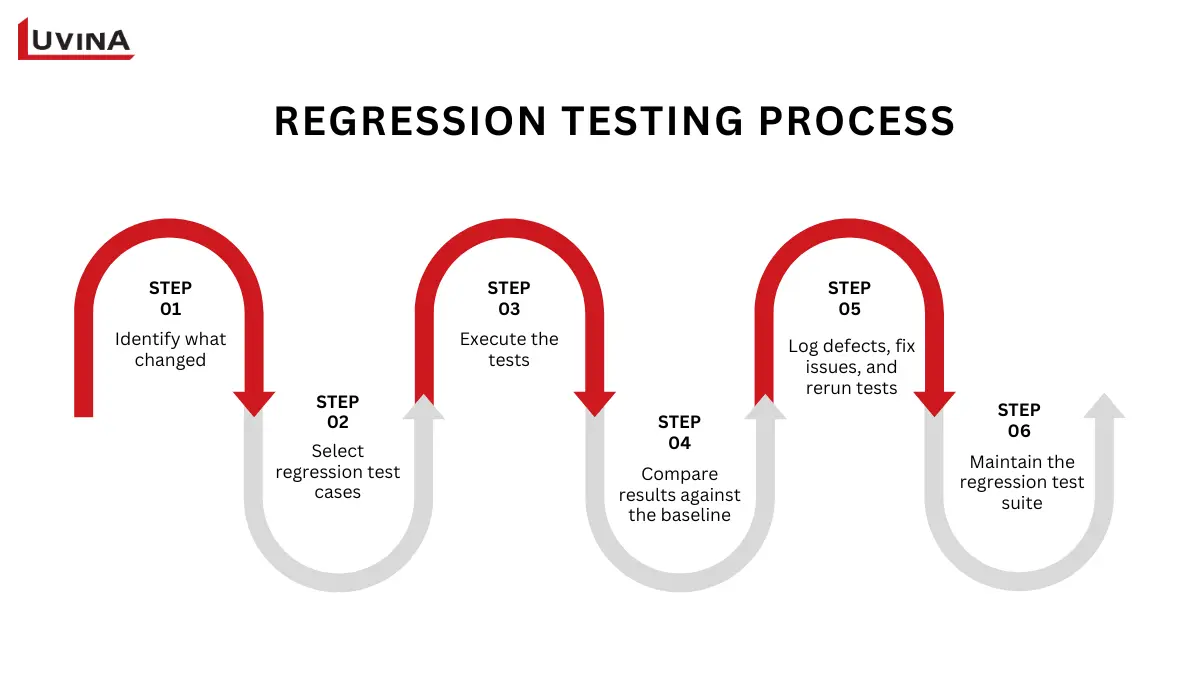
Six-step regression testing process
Top Regression Testing Tools
The right regression testing tool depends on your technology stack, automation strategy, and testing requirements. Some tools focus on browser automation, while others specialize in visual testing or unit-level regression testing.
| Tool | Best for | Platform | Pros | Considerations |
|---|---|---|---|---|
| Selenium | Cross-browser test automation | Web | Free, open source, highly flexible, large community support | Requires programming skills and framework setup |
| Katalon Studio | End-to-end test automation with built-in regression test management | Web, Mobile, API, Desktop | Low-code platform with built-in test management and reporting | Advanced features require paid plans |
| Playwright | Fast browser automation for modern web applications | Web | Fast execution, supports multiple browsers and programming languages | Best suited for teams with automation experience |
| BrowerStack | Cloud-based cross-browser and cross-device testing | Web, Mobile | Cloud-based testing on real devices without maintaining infrastructure | Commercial subscription required |
| Percy | Visual regression testing | Web | Automated visual comparison with CI/CD integration | Focused on UI testing rather than functional testing |
| Applitools | AI-powered visual regression testing | Web, Mobile | Detects visual changes with AI and supports multiple frameworks | Premium pricing for enterprise features |
| Jest | Unit regression testing for JavaScript applications | JavaScript | Free, lightweight, ideal for unit testing and CI pipelines | Limited to JavaScript ecosystems |
| pytest | Unit regression testing for Python applications | Python | Simple syntax, rich plugin ecosystem, open source | Primarily designed for Python applications |
Comparison of Popular Regression Testing Tools
Each tool addresses different testing needs. Selenium and Playwright are widely used for browser automation, BrowserStack provides scalable cloud-based testing, Percy and Applitools specialize in visual regression testing, while Jest and pytest help developers validate code changes at the unit level.
Choosing the right tool is only one step in the overall regression testing process. Organizations also need experienced QA engineers, scalable automation frameworks, and well-designed test processes to maximize testing efficiency.
If you are evaluating external QA partners, explore our guide to automation testing companies to learn what to look for when selecting a reliable testing provider.
Regression Testing Best Practices for QA Teams
Based on Luvina’s QA experience, consistency is key to effective regression testing. A larger number of test cases doesn’t always improve software quality. QA teams should focus on the right test cases for the right scenarios.
The regression test suite should also be reviewed and updated as the application evolves.
Here are 7 regression testing best practices Luvina’s QA team implements
- Automate high-priority test cases first. Focus on test cases that cover critical business functions, high-risk features, and scenarios executed in every release. This delivers the greatest return on automation investment.
- Keep test data up to date. Outdated or inconsistent test data can lead to false failures and unreliable results. Regularly review and refresh test data to reflect real-world usage.
- Integrate regression testing into CI/CD pipelines. Run automated regression tests on every pull request, code merge, or nightly build to detect issues as early as possible.
- Prioritize tests based on risk. Rank test cases according to business impact and the likelihood of failure. This approach helps teams maximize test coverage when time or resources are limited.
- Review and maintain the regression test suite. Remove obsolete test cases, update existing ones, and add new scenarios as the application evolves. A lean test suite executes faster and is easier to maintain.
- Combine regression testing with code coverage analysis. Reviewing code coverage helps identify areas of the application that are not adequately tested, reducing the risk of hidden regressions.
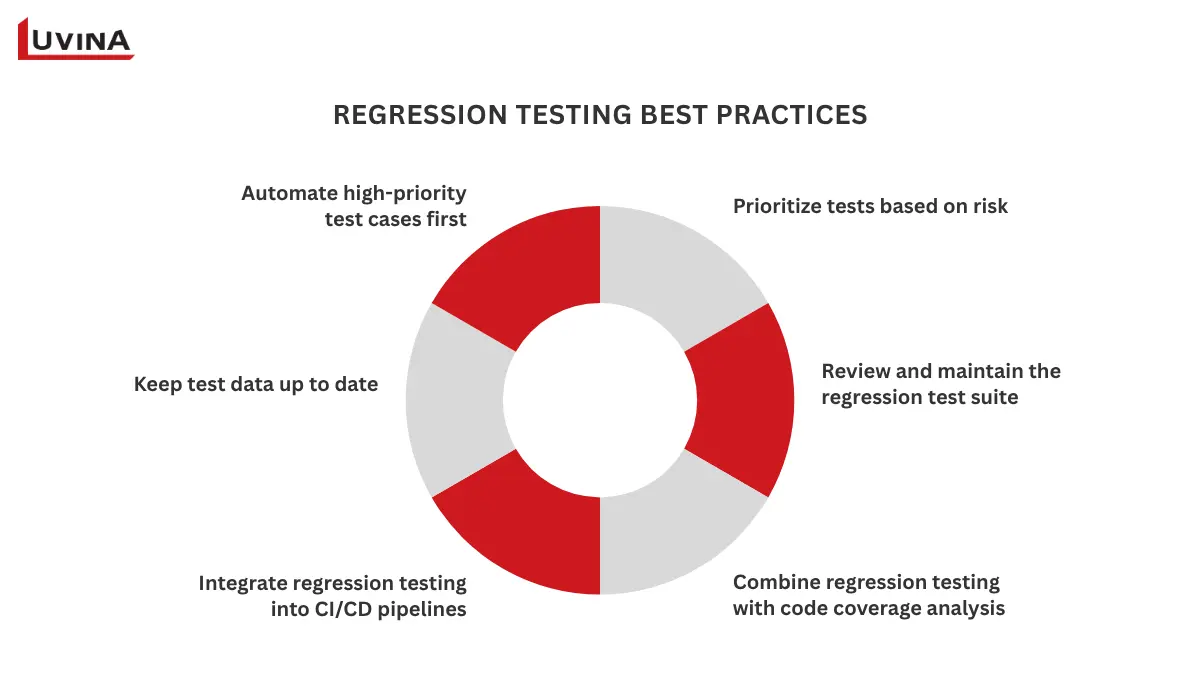
Best practices for building an effective regression testing strategy
FAQs
1. What is regression testing in software testing?
Regression testing is the process of re-running previously passed test cases after code changes to ensure existing functionality continues to work correctly.
2. What is the purpose of regression testing?
The purpose of regression testing is to verify that bug fixes, new features, or code changes do not break existing functionality.
3. What is the difference between regression testing and retesting?
Retesting confirms that a specific defect has been fixed. Regression testing verifies that the fix has not introduced new issues elsewhere in the application.
4. What are the main types of regression testing?
The main types include complete, partial (selective), progressive, visual, and unit regression testing. Each is designed for different testing scenarios and levels of code change.
5. What are non-regression tests?
Non-regression tests verify that new or modified functionality works as intended, while regression tests ensure existing features continue to work after code changes.
Conclusion
Regression testing is a critical part of modern software development. By verifying that code changes do not affect existing functionality, it enables teams to deliver software safely and support continuous releases with greater confidence.
To maximize its value, organizations should automate high-priority regression tests, integrate them into CI/CD pipelines, and continuously maintain the test suite as the application evolves.
If you are looking to improve your QA process or build a scalable testing strategy, explore Luvina’s software testing services to learn how our QA experts help businesses deliver reliable, high-quality software.

Luvina’s ISTQB Gold Partner certification reflects its QA commitment
Resources
- https://glossary.istqb.org/en_US/term/regression-testing/1
- https://www.open-bio.org/bosc2004/presentations/Heusden_SW_validation_BOSC_2004.pdf
- https://www.techtarget.com/searchsoftwarequality/definition/regression-testing
- https://martinfowler.com/articles/continuousIntegration.html
READY TO START A PROJECT?
Our experts are eager to explore your needs.

Read More From Us?
Sign up for our newsletter
Read More From Us?
Sign up for our newsletter