




Functional Testing in Software Testing: Definition, Types, and Tools


Functional testing verifies whether software functions work as specified in the requirements. Rather than focusing on how the application is built, it checks whether the system produces the expected output for a given input.
Generally, functional testing follows a black box testing approach, although there are situations where testers may need knowledge of the underlying code.
Read the article below to learn more about functional testing and how it helps ensure software quality throughout the SDLC.
What Is Functional Testing in Software Engineering?
Functional testing is a software testing approach that verifies whether software functions meet the specified functional requirements throughout the Software Development Life Cycle (SDLC). Its goal is to ensure every feature delivers the expected business outcome before release.
Its goal is to ensure every feature delivers the expected business outcome before release.
Each functional test is linked to a specific functional requirement, business rule, or user story. This relationship helps teams confirm that every requirement has been validated and improves test traceability.
Who Performs Functional Testing?
Different stakeholders perform functional testing at different stages of development.
| Role | Responsibility |
| Developers | Verify individual functions through unit testing |
| QA engineers | Validate features, workflows, and system behavior |
| End users or business stakeholders | Perform User Acceptance Testing (UAT) before release |
Roles involved in functional testing
Where Does Functional Testing Fit in the SDLC?
Functional testing takes place throughout the SDLC and appears at every level of the testing pyramid.
- Unit testing validates individual functions or methods.
- Integration testing verifies interactions between components.
- System testing checks complete business workflows.
- Acceptance testing confirms the software meets user and business requirements.
Is Functional Testing Black-Box or White-Box?
Functional testing is generally performed as black-box testing, where testers validate software behavior without examining the source code.
However, sometimes the testers can be the developers with full or partial knowledge of the code, making it either white or grey box. This is why functional testing refers to what is being tested, whereas black box testing refers to the testing approach.
When to Use Functional Testing
Functional testing is best used to verify whether software features work as expected. However, it should be combined with other testing types when evaluating non-functional aspects.
| Use Functional Testing When… | Consider Other Testing Types When… |
| Validating features against functional requirements | Measuring performance, scalability, or reliability |
| Verifying business workflows and user journeys | Evaluating system security or vulnerability |
| Testing after new feature development or bug fixes | Assessing usability or user experience |
| Performing regression, smoke, or acceptance testing | Checking load, stress, or endurance under heavy traffic |
When functional testing is appropriate and when other testing types should be used
Functional testing ensures software behaves correctly, but it should be combined with non-functional testing to evaluate performance, security, scalability, and other quality attributes.
When Functional Testing Alone Is Not Enough
Functional testing verifies whether software functions work correctly, but it does not evaluate every aspect of software quality. In the following scenarios, it should be complemented with other testing types.
| Quality Aspect | Recommended Testing Type |
| Measuring application performance under different workloads | Non-functional testing (Performance Testing) |
| Identifying security vulnerabilities | Security Testing |
| Evaluating scalability under high user traffic | Load Testing or Stress Testing |
| Assessing usability and user experience | Usability Testing |
| Verifying system stability over an extended period | Endurance Testing |
When functional testing should be complemented with other testing types
Functional testing confirms that software works as expected, while other testing types evaluate how well it performs under different quality conditions.
Learn more in our Regression Testing and Sanity Testing guides.
Types of Functional Testing in Software Testing
There are several ways to categorize functional testing types in software testing. The most common approach is by testing level, which reflects where the test is performed in the Software Development Life Cycle (SDLC). The following sections introduce the two common categorization approaches, starting with testing levels.
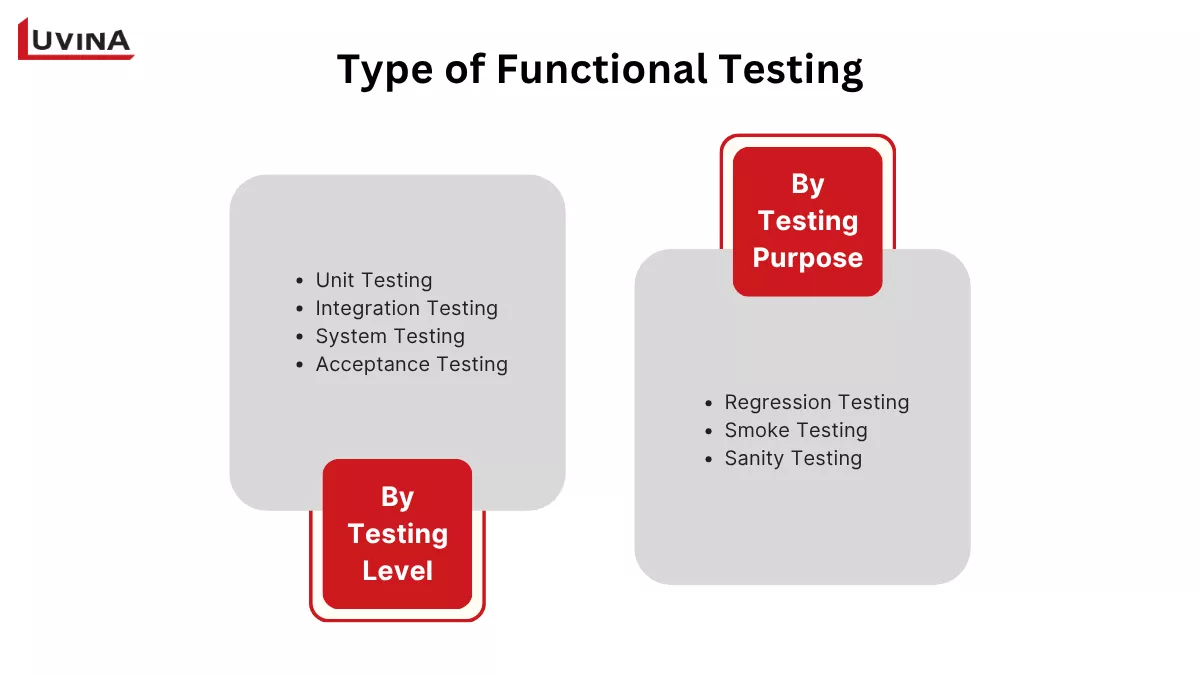
Two common ways to categorize functional testing
1. Functional Testing Types by Testing Level
One of the most common ways to categorize functional testing types in software testing is by testing level. Each level focuses on a different scope, from validating individual code units to confirming that the entire system meets business requirements.
| Testing Level | What It Tests | Performed By | Common Tools | Example |
| Unit Testing | Individual functions, methods, or classes in isolation | Developers | JUnit, PyTest, Jest | Verify that calculateTax() returns the correct tax amount. |
| Integration Testing | Interactions between integrated modules, services, or APIs | Developers, QA engineers | JUnit, TestNG, Postman | Verify that the checkout module correctly calls the payment API and stores the order. |
| System Testing | The complete integrated system against functional requirements | QA engineers | Selenium, Cypress, Playwright | Validate a complete registration, login, purchase, and confirmation workflow. |
| Acceptance Testing | Whether the software meets business and user requirements before release | End users, business stakeholders | Manual testing, UAT tools | End users verify that the system supports real business workflows. Includes UAT, operational acceptance testing, alpha testing, and beta testing. |
Functional testing types by testing level
Each testing level serves a different purpose, but together they help ensure the software functions correctly throughout the SDLC. Unit testing catches defects early, while acceptance testing provides the final validation before production deployment.
2. Functional Testing Types By Testing Purpose
Functional testing can also be categorized by its purpose. Instead of focusing on the testing level, this approach groups tests based on the objective they serve during the development and release process.
| Testing Type | Purpose | When to Perform | Example |
| Regression Testing | Verify that existing functionality still works after code changes | After bug fixes, feature updates, or code refactoring | Confirm that adding a new payment method does not affect the existing checkout process. |
| Smoke Testing | Validate that critical features work correctly in a new build | Immediately after a new build is deployed | Verify that users can launch the application, log in, and access key features. |
| Sanity Testing | Confirm that a specific bug fix or small change works as expected | After minor fixes or small enhancements | Verify that a fixed password reset function now works correctly without retesting the entire application. |
Functional testing types by purpose
Each testing type serves a different purpose. Regression testing ensures existing features remain stable, smoke testing determines whether a build is ready for further testing, and sanity testing quickly validates specific changes.
Learn more in our Regression Testing and Sanity Testing guides.
The categories below represent different ways to classify functional testing rather than strict subtypes. Depending on the testing objective, the same test may be classified by testing level, testing purpose, or testing approach.
Together, these classification approaches help teams select the most appropriate testing strategy for different development and release scenarios.
Functional Testing Process: Step by Step
A well-defined functional testing process helps teams validate software consistently and identify defects before release. While the workflow may vary across projects, most teams follow these seven steps.
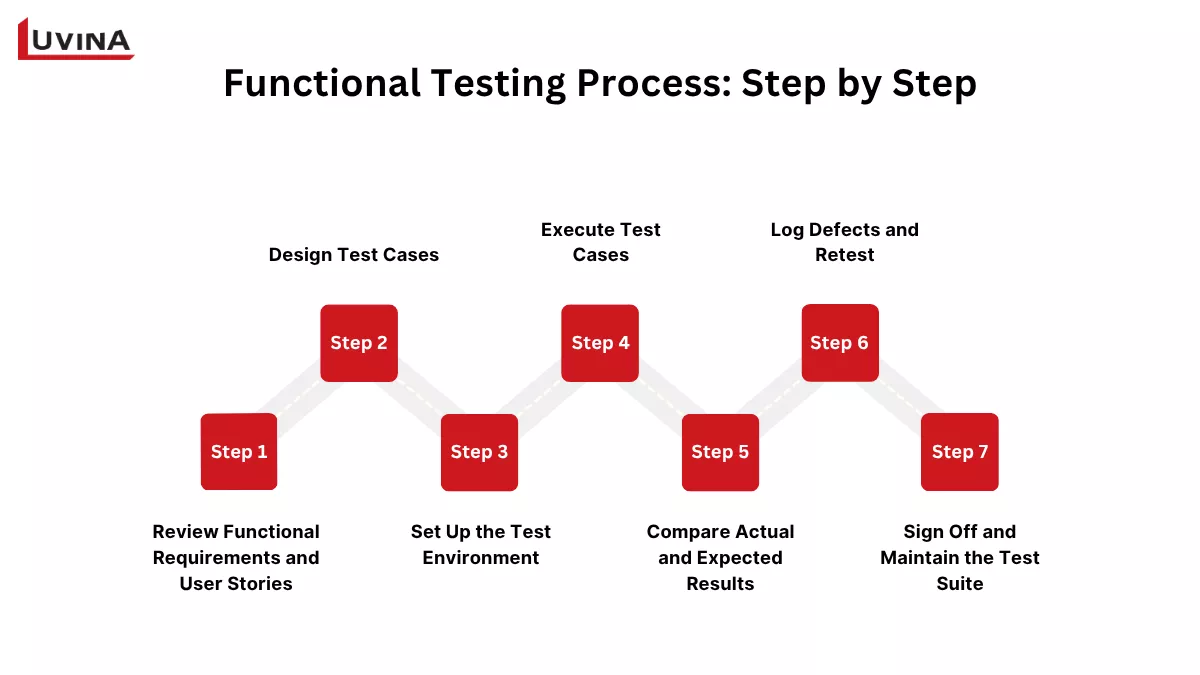
Functional Testing Process: 7 Steps from Requirements to Release
Step 1. Review Functional Requirements and User Stories
Start by reviewing the functional requirements, user stories, and acceptance criteria. This helps define the testing scope and ensures every requirement is covered.
Step 2. Design Test Cases
Create test cases based on the documented requirements. Each test case should include test steps, input data, expected results, and pass or fail criteria.
Step 3. Set Up the Test Environment
Prepare the testing environment before execution. This includes configuring test data, user accounts, system access, and any required dependencies.
Step 4. Execute Test Cases
Run the test cases manually or with automation tools. Record the actual results for each test and identify any unexpected behavior.
Step 5. Compare Actual and Expected Results
Compare the actual results with the expected outcomes defined in the test cases. Any mismatch should be investigated and documented.
Step 6. Log Defects and Retest
Report defects with clear reproduction steps and supporting evidence. After the issues are fixed, rerun the affected test cases to confirm the fixes.
Step 7. Sign Off and Maintain the Test Suite
Once all critical issues are resolved, approve the test results for release. Update the test suite to reflect requirement changes and support future testing cycles.
Following a structured functional testing process helps teams identify defects earlier, improve requirement coverage, and maintain software quality throughout the SDLC. Whether tests are executed manually or through automation, a well-defined workflow ensures consistent and reliable testing results.
Manual vs. Automated Functional Testing
Functional testing can be performed manually or with automation tools. The right approach depends on the testing objectives, project timeline, and the frequency of test execution.
| Criteria | Manual Functional Testing | Automated Functional Testing |
| When to Use | Exploratory testing, UAT, one-off tests, usability validation | Regression testing, smoke testing, repetitive test cases |
| Cost | Lower initial cost but higher long-term effort | Higher initial investment but lower long-term cost |
| Speed | Slower execution | Fast and repeatable execution |
| Test Coverage | Limited by time and resources | High coverage across multiple test scenarios |
| Best For | Tests that require human judgment and real user feedback | Stable, repetitive, and frequently executed test suites |
Comparison of manual and automated functional testing
Neither approach is better in every situation. Manual testing provides valuable human insight, while automated testing improves speed, consistency, and scalability.
Best practice: Automate stable and frequently executed test cases, such as regression and smoke tests. Keep exploratory testing, User Acceptance Testing (UAT), and other scenarios that require human judgment as manual tests. Teams weighing whether to handle this in-house or outsource can explore the Benefits of QA Outsourcing to see how it can improve software quality while optimizing development costs.
Top Functional Testing Software and Tools
Choosing the right functional testing software depends on your technology stack, testing scope, and automation goals. Some tools are designed for web testing, while others specialize in API testing, unit testing, or cross-platform automation.
| Tool | Primary Purpose | Platform | Type | Best For |
| Selenium | Automated web functional testing | Web | Open source, Code | Cross-browser web automation |
| Cypress | End-to-end and component testing | Web | Open source, Code | Fast testing for JavaScript applications |
| Katalon Studio | Web, API, desktop, and mobile testing | Web, API, Mobile | Paid, Low code | Teams looking for an all-in-one testing platform |
| Postman | Functional testing for REST APIs | API | Free & Paid, Low code | API development and testing |
| JUnit / TestNG | Unit and integration testing for Java | Java | Open source, Code | Java applications |
| Jest | Unit testing for JavaScript applications | Web | Open source, Code | React, Node.js, and JavaScript projects |
| Playwright | Cross-browser web automation | Web | Open source, Code | Modern web applications across Chromium, Firefox, and WebKit |
Functional testing tools and their primary use cases
Each tool is designed for different testing needs:
- Selenium: Best for cross-browser web automation with broad community support.
- Playwright: Ideal for modern cross-browser testing with built-in support for Chromium, Firefox, and WebKit.
- Cypress: A strong choice for JavaScript-based web applications and end-to-end testing.
- Postman: Designed for functional testing and automation of REST APIs.
- JUnit / TestNG: Commonly used for unit and integration testing in Java projects.
- Jest: Well-suited for unit testing in React, Node.js, and other JavaScript applications.
- Katalon Studio: A low-code platform that supports web, API, desktop, and mobile testing from a single interface.
Choose the tool that best matches your technology stack, project requirements, and automation goals.
How to Write Functional Test Cases
A well-written functional test case helps ensure consistent test execution and improves requirement traceability. The table below shows the key elements of a typical functional test case with an example for each field.
| Field | Description | Example |
| Test Case ID | Unique identifier for the test case | FT001 |
| Requirement / User Story | Requirement being validated | User can log in with valid credentials. |
| Preconditions | Conditions before testing | A registered user account exists. |
| Test Steps | Actions to perform | Enter valid credentials and click Log In. |
| Test Data | Input values | Username: user01 Password: Password123 |
| Expected Result | Expected system behavior | User is redirected to the dashboard. |
| Actual Result | Actual outcome | User is redirected to the dashboard. |
| Pass / Fail Status | Test result | Pass |
Functional test case template with example
Using a consistent test case template improves requirement traceability, simplifies test execution, and makes test maintenance easier as the application evolves.
Functional Testing Best Practices
Following proven best practices helps improve test quality, reduce maintenance effort, and ensure functional testing remains effective as the application evolves.
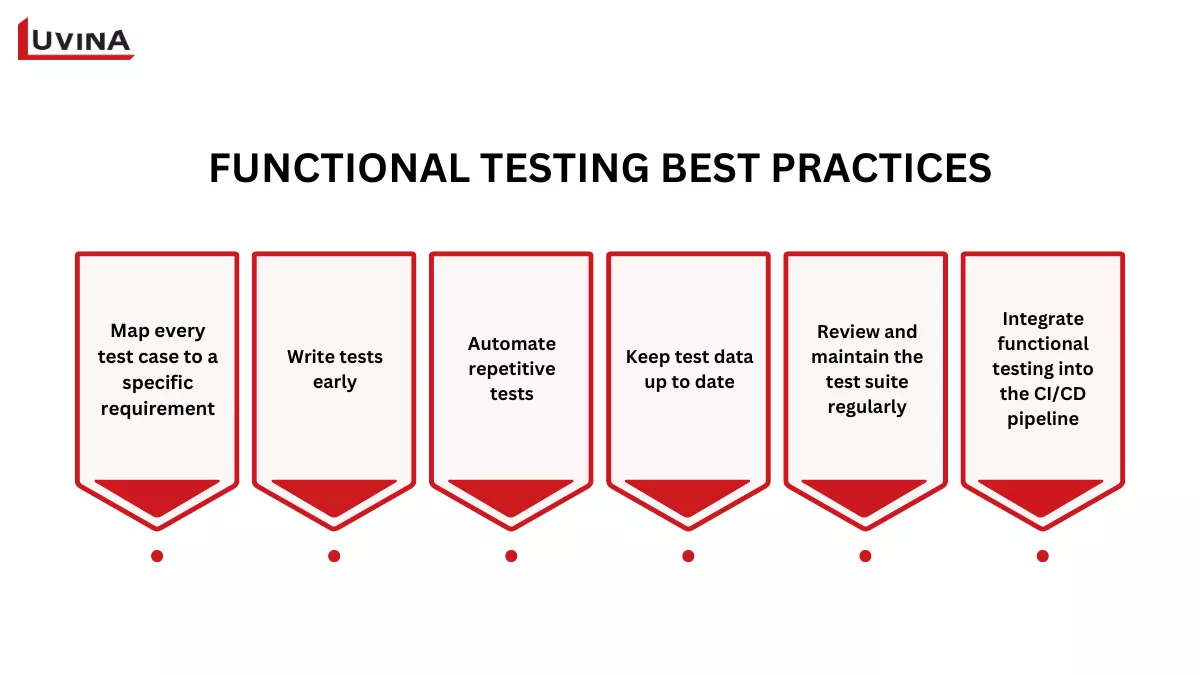
Key best practices for improving the effectiveness and reliability of functional testing
- Map every test case to a specific requirement. Maintaining traceability makes it easier to verify requirement coverage and assess the impact of changes.
- Write tests early. Create test cases before development when following Test-Driven Development (TDD), or prepare them alongside feature implementation.
- Automate repetitive tests. Regression testing and smoke testing are ideal candidates for automation, while exploratory testing and User Acceptance Testing (UAT) are better performed manually.
- Keep test data up to date. Outdated or unrealistic test data can lead to false failures and unreliable test results.
- Review and maintain the test suite regularly. Remove obsolete test cases and update existing ones as requirements change.
- Integrate functional testing into the CI/CD pipeline. Running automated tests on every pull request or build helps detect defects earlier and supports faster releases.
Applying these practices helps teams build a reliable testing process, improve software quality, and deliver changes with greater confidence.
FAQs
1. What is functional testing in software testing?
Functional testing validates that software functions perform as specified in requirements; it checks the correctness of behavior given specific inputs.
2. What are the types of functional testing in software testing?
Functional testing can be categorized by testing level (unit, integration, system, and acceptance), testing purpose (regression, smoke, and sanity), and testing approach (exploratory and ad hoc).
3. What is the difference between functional testing and unit testing?
Unit testing validates individual functions or methods, while functional testing covers software functionality at different testing levels. Unit testing is one level where functional testing can be performed.
4. What is functional testing software?
Functional testing software includes tools used to design, execute, and automate functional tests. Popular examples include Selenium, Cypress, Playwright, Postman, JUnit, and Jest.
5. What are examples of functional testing?
Common examples include testing a login feature, validating a checkout workflow, verifying API responses, or conducting User Acceptance Testing (UAT) before release.
Conclusion
Functional testing plays a critical role in ensuring software meets functional requirements at every stage of development, from unit testing to User Acceptance Testing (UAT). A well-structured testing strategy helps teams detect defects early, improve software quality, and reduce release risks.
Build your testing strategy around different testing levels. Automate repetitive tests such as regression and smoke testing whenever possible. Reserve User Acceptance Testing (UAT) for real users to validate business requirements before release.
If you’re considering outsourcing your QA activities, read our guide to Software Testing Outsourcing Companies to learn how to choose the right testing partner.
Resources
- https://www.ibm.com/think/topics/functional-testing
- https://glossary.istqb.org/en_US/term/functional-testing?term=functional%20testing&exact_matches_first=true
- https://martinfowler.com/articles/continuousIntegration.html
READY TO START A PROJECT?
Our experts are eager to explore your needs.

Read More From Us?
Sign up for our newsletter
Read More From Us?
Sign up for our newsletter