




Managed Service Provider for Small Business: 10 Singapore Options


A managed service provider for small business is essentially an outside partner who takes ongoing, agreed responsibility for a defined slice of your IT operations, not someone who shows up once to fix a server and disappears. That distinction matters more than most guides admit. If your team has ever waited three days for a freelancer to return a call about a login issue, you already know why “ongoing” is the operative word here.
This guide walks through what that scope covers, how fully managed and co-managed models differ, and closes with ten APAC-relevant providers worth putting on your shortlist.
When Does a Small Business Start Needing an MSP?
There’s no headcount or revenue number that tells you it’s time for an MSP. It’s usually a pattern you start noticing, not a milestone you hit.
Watch for these signs:
- The same IT problems keep coming back, and nobody actually owns fixing them for good
- Backups and security exist on paper, but no one could tell you who’s accountable if something fails
- Support requests take longer to resolve as headcount grows, even though the issues themselves aren’t getting harder
- Your one internal IT person is stretched thin, with no backup if they’re out sick or leave
- You’re opening a new office, adding a branch, or supporting remote staff for the first time
- More of your work now runs on cloud systems that need to stay up around the clock, not just during office hours
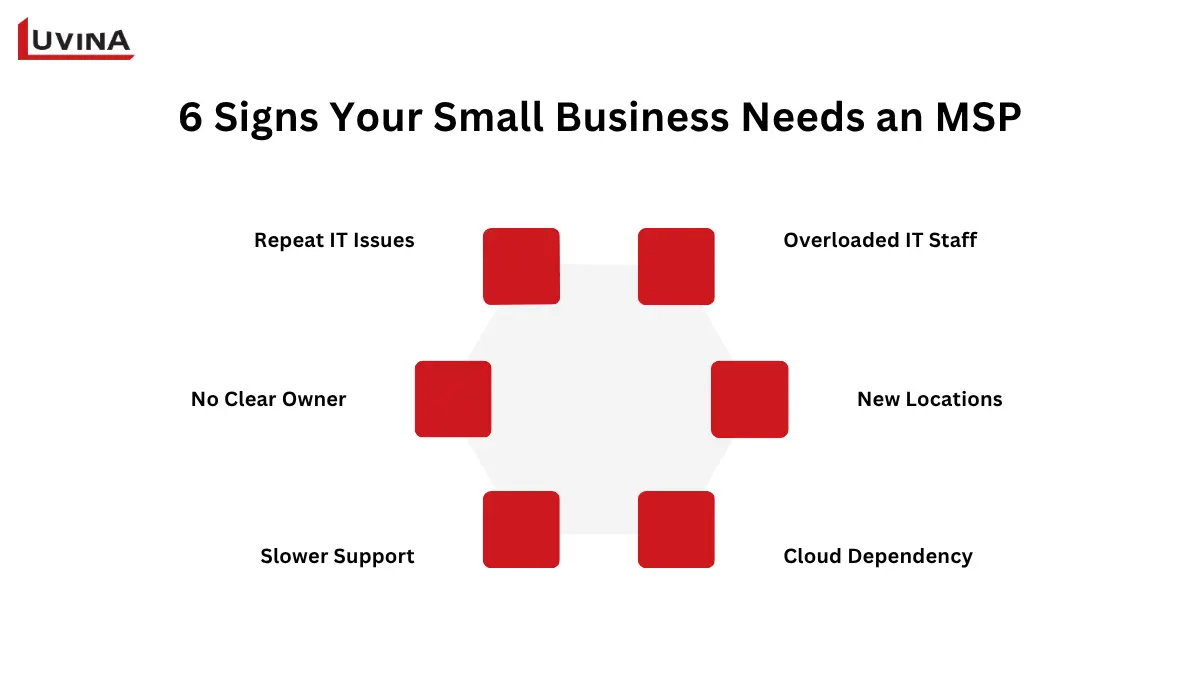
6 warning signs it’s time to consider a managed service provider for your small business
That said, not every business needs full managed IT right away. If your systems are simple and issues come up rarely, a break-fix arrangement or a narrow service plan might cover you just fine for now. It’s also worth comparing this against other ways of getting extra hands, like this comparison between staff augmentation and managed services, since the two solve different problems.
6 Essential Types of IT Managed Services for Small Businesses
A full-scope MSP for small businesses typically covers six core service groups. None of them should be treated as optional extras bolted onto a basic support contract.
| Service group | What it covers |
| Service desk & end-user support | Day-to-day help for employees, including onsite support when it’s written into the contract |
| Endpoint, network & infrastructure management | Managing devices, network infrastructure, and ongoing monitoring |
| Cloud & productivity-platform administration | Administering cloud platforms and everyday tools like Microsoft 365 or Google Workspace |
| Cybersecurity & identity/access management | Security controls, plus managing who has access to what |
| Backup, disaster recovery & business continuity | Backups, recovery after an incident, and keeping operations running through disruption |
| Unified communications & IT vendor coordination | Bringing communication systems together and coordinating other IT vendors on your behalf |
Core managed IT service groups for small businesses
A quick note on the scope. Data analytics is often pitched as part of an MSP package, but it’s really an add-on, not a default. And if what you need is a one-off project built and handed over, that falls under a different kind of outsourcing, which we’ll get to shortly.
Most of this only works because of remote monitoring and management (RMM) running quietly in the background. It’s the tooling that lets a provider spot a failing disk or a stalled backup job before you ever notice something wrong, rather than waiting for someone to call in a problem.
Security in particular tends to get treated as an afterthought once the basics are covered, which is backwards. It’s worth understanding why managed IT security services are a baseline requirement, not an add-on, before you start comparing providers.
Which Managed IT Service Model Fits a Small Business?
There are really two managed IT models worth choosing between, plus a handful of other outsourcing arrangements that get lumped in with them but aren’t quite the same thing.
Fully Managed IT
One partner takes on agreed, ongoing responsibility for running your IT operations. This works best for businesses with no internal IT staff, or close to it. The provider takes primary responsibility for the IT operations covered by the agreement, including the agreed support, escalation, and vendor-management responsibilities.
Co-Managed IT
Here, the MSP works alongside an internal IT person or team you already have, rather than replacing them. This suits businesses that want to keep some control in-house, or that need specialist help in one area, like security or cloud, without handing over everything.
Other IT Outsourcing Options
A few other arrangements often get mentioned in the same breath as managed services, but they solve different problems:
- Dedicated team: a group of specialists working exclusively on your systems, usually for a set period
- Staff augmentation: extra hands added to your existing team for a specific gap
- Project-based support: scoped work with a defined start and end, like a migration or a rollout
- Break-fix: pay-as-you-go support, only when something breaks
These models solve different problems and generally do not provide the same ongoing operational accountability as a managed service. They’re either a resource you’re borrowing, or a piece of work that gets delivered and closed out. If you want the fuller picture of how these options compare, this overview of IT outsourcing models breaks it down in more detail.
Top 10 Managed IT Service Providers for SMEs in Singapore
This list is not a performance ranking. It’s a set of ten candidates, listed alphabetically, based on what each provider states publicly about their own services. Independent quality, pricing, or customer-fit claims aren’t verified here, so treat this as a starting shortlist, not a verdict.
10 Managed IT Service Providers for SMEs in Singapore
| Company | Size | Area | Best fit |
| Luvina Software | 750+ IT talents | Vietnam (HQ), Japan, US, Singapore | Custom software, system integration, app-level support |
| Advance IT | Not publicly stated | Singapore | SMEs wanting fixed-fee, predictable pricing |
| EIRE Systems | ~200 staff | Singapore, Tokyo, Hong Kong, Shanghai | Cross-border businesses with Japan ties |
| IT Block | ~10 employees | Singapore only | Startups/SMBs needing local infrastructure + colocation |
| Kaopiz | 700+ globally, local headcount not stated | Vietnam (HQ), Japan, Singapore | Mid-size businesses wanting cloud/AI focus |
| Managed IT Asia | Small team | Singapore, serving SMBs across Asia | Small teams under 100 workstations |
| PTS (Singapore) | 201–500 (global group) | Singapore, UK, US, Hong Kong, Japan, Middle East | Businesses wanting vendor-neutral, internationally backed team |
| SWiZ Technologies | ~6 employees | Singapore | Firms wanting one single local contact |
| Techease Solutions | Small team | Singapore | SMEs wanting transparent, vendor-agnostic pricing |
| Win-Pro | 15+ employees | Singapore, Johor Bahru, Kuala Lumpur | SMBs needing broad MSP coverage across SG/Malaysia |
Quick comparison of 10 managed IT providers in Singapore
Luvina Software
- Established: 2004
- Size: 750+ IT talents
- Area: Headquartered in Hanoi, Vietnam, with branches in Da Nang and Ho Chi Minh City, plus offices in Japan, the US, and Singapore (Capital Tower, Robinson Road)
- Service: Software development, DevOps, cloud development, software maintenance, service desk, data engineering, IT security services
- Best fit: Businesses needing custom software, system integration, or application-level support to run alongside their existing IT operations, rather than day-to-day infrastructure helpdesk
Luvina has spent over two decades building software for clients across Japan, the US, and now Singapore, backed by a team of more than 750 engineers. It isn’t a traditional MSP running your help desk or monitoring your servers around the clock. Where it fits is different: building the applications, integrations, and custom systems that sit on top of whatever IT operations you already have running. If your MSP has infrastructure covered but you still need something built or maintained, this is the kind of gap Luvina fills.
Advance IT
- Established: 2009
- Size: not publicly stated
- Area: Singapore
- Service: Help desk, remote and on-site support, managed IT, infrastructure solutions, fixed monthly retainer
- Best fit: SMEs across healthcare, retail, finance, and manufacturing that want predictable, fixed-fee pricing over hourly billing
Advance IT has been running managed IT out of Singapore since 2009, built specifically around a fixed monthly retainer rather than hourly billing. That pricing model tends to appeal to small businesses that don’t want surprise invoices every time something breaks. It serves a fairly wide spread of industries, from healthcare to manufacturing, with help desk and on-site support baked into the retainer. Worth asking exactly what falls inside that fixed fee before assuming everything’s covered.
EIRE Systems
- Established: 2006 (Singapore)
- Size: ~200 staff
- Area: Singapore, with offices in Tokyo, Hong Kong, and Shanghai
- Service: IT support, managed help desk, security, cloud, project-based services
- Best fit: Cross-border businesses, especially those with Japan ties, needing bilingual support
EIRE Systems opened its Singapore office in 2006, nearly a decade after the company started in Tokyo, and now runs a team of about 200 across four APAC cities. Its background is bilingual IT support for financial institutions, which shows in how it positions itself today. If your business has any real connection to Japan, or operates across a couple of these markets at once, this is one of the few providers built for that specifically. Confirm actual onsite response times in Singapore, since coverage can vary by office.
IT Block
- Established: 2018
- Size: ~10 employees
- Area: Singapore only
- Service: Managed IT, network security, infrastructure management, server colocation
- Best fit: Singapore SMBs and startups needing local infrastructure support, not just remote helpdesk
IT Block is a small, Singapore-only outfit, founded in 2018, with a team of around ten. It leans into physical infrastructure work, offering server colocation alongside the usual managed IT and network security services. That combination suits a startup or small business that still keeps some hardware on-site, not just someone looking for a remote helpdesk. Given the team size, ask directly about after-hours coverage before you sign anything.
Kaopiz
- Established: 2025 (Singapore)
- Size: 700+ engineers globally; Singapore office opened November 21, 2025, local headcount not separately stated
- Area: Vietnam headquarters, Japan, and a recently opened Singapore office
- Service: Managed cloud, AI adoption, digital transformation, 24/365 managed cloud services
- Best fit: Mid-size businesses wanting a cloud and AI-focused partner with a growing regional footprint
Kaopiz is the newest name on this list, opening its Singapore office in November 2025, backed by a global engineering team of over 700. Its focus sits squarely on cloud and AI rather than general IT support, offering managed cloud services around the clock. Because the Singapore office is so new, there isn’t much of a local track record to point to yet. Worth asking directly about the size of the on-the-ground team before committing to anything long-term.
Managed IT Asia
- Size: small team
- Area: Singapore, serving SMBs across Asia
- Service: Managed IT, cloud, backup, security, remote access, co-managed IT
- Best fit: Small Singapore-based teams, typically under 100 workstations, wanting broad, hands-off coverage
Managed IT Asia markets itself directly at small businesses, not enterprise buyers, running as a lean team out of Singapore. Its service list covers most of the basics, cloud, backup, security, remote access, packaged as either fully managed or co-managed. That’s a reasonable fit for a small team with under 100 workstations wanting one provider to hand things off to. Given the small size, validate how they handle coverage if you’re operating outside Singapore.
PTS (Singapore)
- Established: 2004
- Size: part of the global PTS Consulting Group (201 to 500 employees company-wide)
- Area: Singapore office, backed by a global network across the UK, US, Hong Kong, Japan, and the Middle East
- Service: Vendor-neutral managed IT, Microsoft 365 and cloud administration, IT procurement, technology consulting
- Best fit: Businesses wanting a vendor-neutral local team backed by a larger international group
PTS Singapore has operated locally since 2004, started as a subsidiary of the London office and now standing as its own entity within the wider PTS Consulting Group. Being vendor-neutral is central to how it pitches itself, meaning recommendations aren’t tied to reselling any particular hardware or software. That backing from a larger international group gives it more depth than a typical local shop, useful if your business also operates in the UK, Hong Kong, or Japan. Ask how much of that global support actually reaches the Singapore team day to day.
SWiZ Technologies
- Established: 2007
- Size: ~6 employees
- Area: Singapore
- Service: Hybrid infrastructure, end-user support, telephony, security, backup
- Best fit: Singapore firms wanting a single local point of contact for everything IT-related
SWiZ Technologies is a small Singapore operation, around six people, running since 2007. It bundles a fairly wide range of services, from telephony to backup, under one roof, positioning itself as a long-term partner rather than a one-off project vendor. That’s appealing if you want a single point of contact instead of juggling multiple vendors. With a team this size, get clear on exactly which services are bundled into the recurring fee versus billed separately.
Techease Solutions
- Established: 2025
- Size: small team
- Area: Singapore
- Service: IT Department-as-a-Service, office-hour support, patch management, PDPA compliance support
- Best fit: Singapore SMEs wanting transparent, vendor-agnostic pricing with no hidden fees
Techease Solutions is the youngest company on this list, registered in Singapore in 2025. It leans on transparent, vendor-agnostic pricing as its main pitch, with PDPA compliance support built into the offering, useful for businesses that need to show they’re handling data properly under local law. Being this new, there’s little history to judge them against yet. Worth confirming their actual response times and support hours directly, since a young company’s public claims haven’t been tested by many clients.
Win-Pro
- Established: 1993
- Size: 15+ employees
- Area: Singapore, Johor Bahru, and Kuala Lumpur
- Service: Monitoring, help desk, network and infrastructure management, security, backup, IT strategy
- Best fit: Singapore or Malaysia SMBs needing broad MSP coverage across both markets
Win-Pro has been operating in Singapore since 1993, making it one of the longest-running names here, with additional offices in Johor Bahru and Kuala Lumpur. Its service list is broad, covering monitoring, help desk, infrastructure, security, and IT strategy in one package. That regional spread makes it a solid option if your business straddles Singapore and Malaysia specifically. Get response-time targets and coverage details written into the SLA rather than relying on the general marketing copy.
A quick note for buyers in Singapore. Before shortlisting any of these, check out language support, onsite availability, operating hours, and whether the provider can meet your local data-handling requirements. If you’re coordinating multiple vendors already, also ask who owns escalation when something goes wrong. Public service pages won’t tell you that.
Note: pulled directly from each provider’s official page, checked in September 2026. Recheck every entry again on the day this article publishes, since MSP offerings and coverage change quickly.
Key Evaluation Points for Small Businesses
Before signing anything, run every MSP proposal through a short checklist. It won’t cover every detail, but it will catch the gaps that tend to cause problems six months in.
- Scope clarity: what’s included, what isn’t, spelled out in plain language, not buried in an appendix
- SLA and exclusions: response times, resolution targets, and exactly what falls outside the agreement
- Named accountability: a real person or team you can call when something breaks, not a generic ticket queue
- Contract flexibility: can you scale up, scale down, or exit without getting locked into terms that don’t fit you anymore
- Documentation and handover: how they’ll document your systems, and what you get back if you ever switch providers
- Predictable total cost: a clear sense of what you’ll actually pay each month, including what triggers extra charges
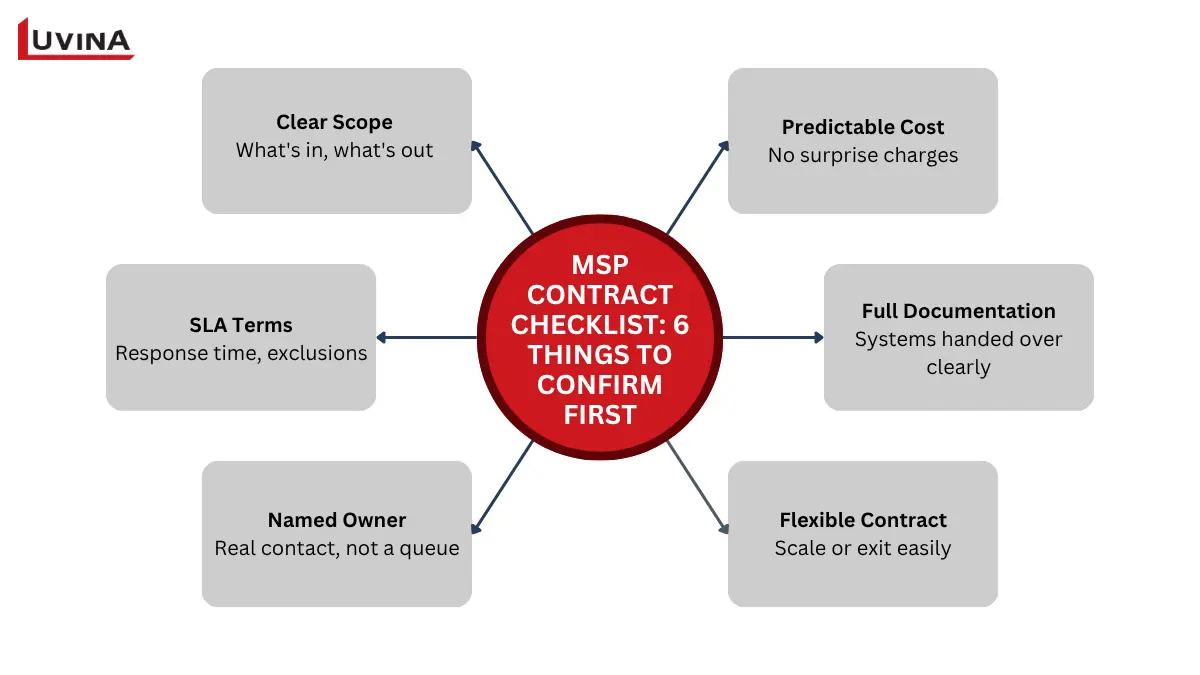
Checklist for evaluating a managed service provider contract for small business
This checklist gets you through a first read of any proposal, but it’s not the full picture. For a more thorough walkthrough of the full evaluation process in Luvina’s guide to choosing a managed IT service provider, that’s worth reading before you sign.
Understanding MSP Costs, Contracts and Exclusions
Ask five MSPs for a quote on the same business, and you’ll likely get five different numbers. Cost depends on what’s actually being managed, not just a headcount.
A few factors that move the number up or down:
- Number of users: more people generally mean more support tickets and licensing costs
- Number of devices: laptops, servers, and mobile devices all add to what’s being monitored and patched
- Number of locations: each additional site usually means more coordination, and sometimes onsite visits
- Number of systems under management: a business running five core systems costs less to manage than one running fifteen
- Support hours: business-hours-only coverage costs less than 24/7 monitoring and response
- System criticality: systems that can’t go down without real business impact usually come with tighter SLAs, and higher cost
- Security requirements: compliance obligations or higher-risk industries add to the scope
- Project work and out-of-scope rates: anything outside the agreed contract, like a migration or a new office setup, typically gets billed separately
Ask any provider to walk through these factors specifically for your business before comparing quotes. A number without that context doesn’t tell you much.
What Does the Transition to Managed IT Usually Involve?
Switching to managed IT isn’t a single event. It’s a sequence of steps, and how long each one takes depends heavily on your existing setup, not a fixed calendar.
- Discovery and baseline: the provider reviews your current systems, devices, and pain points before proposing anything
- Scope, roles, and escalation confirmation: both sides agree on exactly what’s covered and who to call when something goes wrong
- Access and documentation handover: credentials, system diagrams, and existing processes get transferred over
- Onboarding and stabilization: the provider starts managing your environment and addresses any early operational issues
- Early service review: a check-in after the first few weeks or months to confirm things are working as agreed
Some providers pitch this as a fixed 90-day rollout. In practice, it varies. A business with three legacy servers and no documentation will take longer to onboard than one running a clean, well-organized cloud setup. Treat any timeline a provider gives you a starting estimate, not a guarantee.
How Luvina Can Support Small Businesses
Luvina isn’t on the list above, and that’s intentional. We’re not a managed service provider in the traditional sense, running your help desk or monitoring your network around the clock. Where we fit is a bit different.
We work with small and growing businesses on software development, system integration, and ongoing application support, the kind of work that complements whatever IT operating model you’ve already settled on. If you’ve picked an MSP for day-to-day infrastructure and support, but still need a custom application built, an existing system integrated with something new, or ongoing support for software that’s specific to how your business runs, that’s where our team comes in. Luvina has also expanded its presence into Singapore, which is worth a look if you’re operating across the region.
If you have already chosen your managed IT model but still need support for the applications and systems running on top of it, Luvina can help with software development, integration, and ongoing application support. Tell us about your application landscape, support scope, or IT environment, and we’ll help identify where we can fit.
FAQs
1. When does a small business need an MSP?
There’s no fixed size or revenue threshold. Look for signs instead, recurring IT issues nobody owns, an overloaded internal IT person, or growing reliance on cloud systems that need round-the-clock uptime. If those patterns sound familiar, it’s worth evaluating.
2. Which managed IT services should an SME expect?
A full-scope MSP typically covers six areas: service desk support, endpoint and network management, cloud administration, cybersecurity, backup and disaster recovery, and communications or vendor coordination. None of these should be treated as optional extras.
3. What is the difference between fully managed and co-managed IT?
Fully managed IT means one partner takes complete, ongoing responsibility for your IT operations. Co-managed IT means the MSP works alongside an internal IT person or team you already have, filling specific gaps rather than replacing them entirely.
4. Which managed IT service providers should SMEs consider in APAC?
It depends on where your business operates and what you need to manage. Providers vary by region, whether that’s Singapore, Japan, Vietnam, or broader APAC coverage, and by scope, from infrastructure-heavy support to full end-user helpdesk. Check the detailed evaluation criteria in Luvina’s guide on selecting the right managed IT service provider before shortlisting.
5. What should I check before signing an MSP contract?
Confirm the service scope, SLA terms and exclusions, who’s accountable when something goes wrong, how flexible the contract is, and what documentation you’ll get if you ever need to switch providers. Get all of it in writing, not just verbal assurances.
Conclusion
Every small business is different, so the right MSP for you might not be the right one for someone else. Start with the problem that brought you here today, whether that’s a backup nobody’s watching or a support request that’s been sitting untouched for days. Then work from there. Look at scope, look at accountability, and make sure both are written clearly before you sign anything. The 10 providers in this guide are simply a place to start your search, not the final answer.
Once you’ve picked up a model, that’s also a good time to talk to us about the applications and systems running on top of it.
READY TO START A PROJECT?
Our experts are eager to explore your needs.

Read More From Us?
Sign up for our newsletter
Read More From Us?
Sign up for our newsletter